> ## Documentation Index
> Fetch the complete documentation index at: https://docs.flipsuite.xyz/llms.txt
> Use this file to discover all available pages before exploring further.
# AGENTS
# AGENTS.md
## Purpose
This file defines how to write and maintain product documentation inside `docs/`.
Use it when creating or updating Mintlify documentation pages for Flipsuite.
Primary goal:
* Keep new docs aligned with the strongest existing references, especially:
* `docs/quests/introduction.mdx`
* `docs/quests/setup.mdx`
* `docs/points/introduction.mdx`
* `docs/points/setup.mdx`
* `docs/points/conversions.mdx`
* `docs/points/discord-roles.mdx`
***
## What good docs look like here
The best docs in this repository are:
* Task-oriented
* Written for end users, not implementers
* Structured around real UI flows
* Dense with screenshots, but not screenshot-dependent
* Short on hype, long on clarity
Good pages in this docs set usually do the following:
* Start with minimal frontmatter: `title`, `description`, `icon`
* Open with a short orientation paragraph or blockquote
* Walk through the feature in the order a user encounters it
* Use `## Step N - ...` headings for setup guides
* Use screenshots inside `` immediately after the text that introduces the UI
* Explain terms and options with tight bullet lists
* Link to the next relevant page with a `Card` or `CardGroup`
* Use `Tip`, `Note`, and `Warning` only for real exceptions, caveats, or constraints
Avoid:
* Marketing language
* Large theory dumps before showing the workflow
* Repeating UI labels in multiple ways
* Explaining implementation details users do not need
* Creating a brand new page structure when an existing pattern already fits
***
## Source references to mirror
Use these pages as canonical references before inventing a format:
* Overview/introduction pages:
* `docs/quests/introduction.mdx`
* `docs/points/introduction.mdx`
* Setup guides:
* `docs/quests/setup.mdx`
* `docs/points/setup.mdx`
* Focused feature pages:
* `docs/points/conversions.mdx`
* `docs/points/discord-roles.mdx`
* Repeated reference sections:
* `docs/quests/tasks/points.mdx`
* `docs/quests/tasks/twitter.mdx`
* `docs/quests/tasks/input.mdx`
If a new page is similar to one of these, copy that structure and only change what is necessary.
***
## Page types and expected structure
### 1. Introduction pages
Use for landing pages like `quests/introduction` and `points/introduction`.
Preferred structure:
1. Frontmatter with `icon`, `title`, `description`
2. Hero image or embed
3. One short introduction paragraph
4. `##` section covering core concepts, capabilities, or key use cases
5. `## What's next?` section with a `Card` to the next action
Keep these pages high-level. They should explain what the feature is for and why someone would use it, then move them forward.
### 2. Setup guides
Use for pages that help users create or configure something in the dashboard.
Preferred structure:
1. Frontmatter
2. Short lead-in blockquote or intro paragraph
3. Sequential `## Step N - ...` sections
4. Screenshot `Frame` after each important UI transition
5. Bullets for field meanings, options, or behaviors
6. Small callouts for caveats
7. A closing `## Step N - What's next?` or `## What's next?`
This is the strongest pattern in the repo. Default to it whenever documenting a feature setup flow.
### 3. Focused feature pages
Use for narrower topics like conversions, imports, sharing, moderation, roles, notifications.
Preferred structure:
1. Frontmatter
2. Optional opening `Frame` if the page centers on one screen
3. Short explanation of what the feature does
4. `##` sections for how it works, how to configure it, and practical usage
5. One or two screenshots where they clarify the exact UI
These pages should stay compact. Avoid turning them into full setup guides unless the workflow actually needs it.
### 4. Reference collections
Use for grouped feature variants like quest task pages or command pages.
Preferred structure:
1. Frontmatter
2. Repeated per-item sections using:
* `## Item name`
* One-sentence description
* Screenshot in `Frame`
* `Accordion` for configuration or command arguments
* Optional `Note`, `Tip`, `Check`, or `Warning`
Keep each section parallel so users can scan and compare items quickly.
***
## Writing style
Write for operators and community managers using the product.
Use this tone:
* Direct
* Concrete
* Calm
* Operational
Prefer:
* "Open the **Points** tab and click **Create point system**."
* "Set the minimum balance required."
* "Users can convert one balance into another."
Avoid:
* "Simply"
* "Just" when it understates real work
* Internal engineering language
* Feature claims that are not visible or proven in product
Other style rules:
* Prefer short paragraphs
* Prefer bullets when listing fields, options, or outcomes
* Use bold for visible UI labels
* Use inline code for enums, commands, IDs, and literal values
* Keep headings descriptive, not clever
* Use product terminology consistently: `Quests`, `Point Systems`, `Flippy`, `Flipwallets`, `Discord roles`, `community dashboard`
***
## How to structure explanations
Default order for most user docs:
1. What this feature is
2. Where to find it
3. How to configure it
4. What happens after setup
5. Where to go next
When documenting fields or options:
* Put the user-visible field name first in bold
* Explain what it controls in one sentence
* Mention optionality or edge behavior only if relevant
When documenting workflows:
* Match the actual UI order
* Do not jump ahead to advanced options before the base flow is clear
* Keep each step actionable
When documenting constraints:
* Use `Tip` for helpful guidance
* Use `Note` for clarifications
* Use `Warning` for limits, irreversible actions, permission issues, or easy mistakes
***
## Mintlify component patterns used here
Reuse the existing component patterns already present in `docs/`.
### Frontmatter
Most guide pages use:
```mdx theme={null}
---
title: "Setup"
description: "Create a new point system and configure it."
icon: "wrench"
---
```
Keep frontmatter minimal unless the page needs more.
### Frames and screenshots
Use `` for screenshots.
Pattern:
```mdx theme={null}
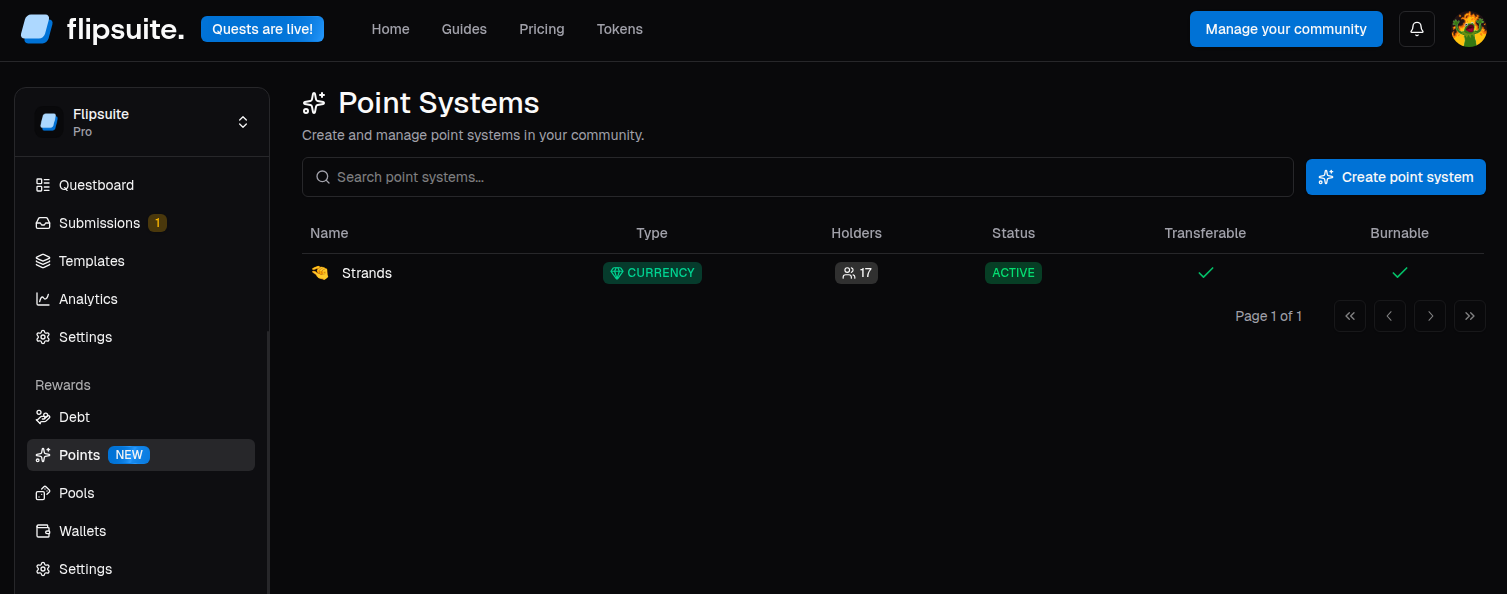 ```
Conventions:
* Add a caption when it helps identify the screen
* Keep image paths rooted at `/images/...`
* Reuse `className="rounded-lg"`
* Place the screenshot near the text that introduces that screen
### Cards
Use `Card` or `CardGroup` to move users to the next relevant page or summarize a small set of related options.
Do not use cards when a normal bullet list is clearer.
### Accordions
Use `Accordion` for repeated configuration schemas, especially:
* quest task configuration
* slash command arguments
* supported file types or option sets
This keeps repeated reference sections compact and scannable.
### Callouts
Available patterns already used heavily:
* ``
* ``
* ``
* ``
Do not stack multiple callouts in a row unless each adds distinct value.
### Icons in headings
For reference-style pages, follow the existing pattern:
```mdx theme={null}
## Points Balance
```
Only use this pattern when the page contains several repeated subsections of the same type.
### Shared snippets
Before writing a custom warning or plan badge, check `docs/snippets/`.
Existing shared snippets include:
* `required-starter-plan-banner.mdx`
* `required-pro-plan-banner.mdx`
* `required-starter-plan-badge.mdx`
* `required-pro-plan-badge.mdx`
* `role-hierarchy-warning.mdx`
Reuse these instead of duplicating the same copy or UI pattern inline.
***
## Screenshots and asset rules
Follow the current asset organization:
* Quest docs: `docs/images/quests/...`
* Point system docs: `docs/images/points/...`
* Module docs: `docs/images/modules//...`
* Account docs: `docs/images/account/...`
Rules:
* Put new screenshots in the nearest existing folder
* Use descriptive filenames based on the screen or action
* Prefer PNG for static UI screenshots
* Reuse existing images if the UI already matches
* Do not reference missing assets in docs
If the page depends on a screenshot that does not exist yet, note that gap clearly instead of inventing UI details.
***
## Navigation and information architecture
`docs/docs.json` is the source of truth for Mintlify navigation.
Whenever you add, rename, move, or remove a page:
* Update `docs/docs.json`
* Keep the page in the nearest matching group
* Reuse existing grouping patterns before creating a new section
Current patterns to preserve:
* Major feature areas are grouped by product capability
* Nested groups are used for collections like `Tasks`, `Commands`, `Rules`, `Guides`
* Intro/setup pages usually appear before narrower subpages
If you add a page under an existing feature, check the surrounding section in `docs/docs.json` first and keep the order intuitive for end users.
***
## Linking rules
Prefer internal links to the next action a user should take.
Use:
* Markdown links in prose for inline references
* `Card` and `CardGroup` for prominent next steps
Good examples in this repo:
* Linking from quest rewards setup to `/rewards/introduction`
* Linking from intro pages to setup guides
Do not overload pages with unrelated links.
***
## Product terminology and naming
Keep naming aligned with the current docs and UI.
Use:
* `X` or `X/Twitter` only when the surrounding page already does
* `Discord roles`, not arbitrary synonyms
* `Point system`, not `token` or `currency`, unless discussing a specific subtype
* `community dashboard` or the exact UI section name if visible to the user
* `quest`, `task`, `reward`, `submission`, `completion` using the quest docs definitions
When the UI has a visible label, mirror that label exactly in bold.
***
## Scope control
Make the smallest documentation change that fully solves the task.
Before creating a new page, ask:
1. Can an existing page be extended instead?
2. Is there already a nearby page with the same structure?
3. Does this belong in a setup guide, a focused feature page, or a reference collection?
Do not:
* Split content into multiple pages without a navigation reason
* Create duplicate explanations in multiple sections
* Add implementation detail for backend behavior unless users need it to operate the feature
* Rewrite nearby pages for style consistency unless the task requires it
***
## Validation checklist
Before finishing a docs change:
* Confirm the page follows a nearby existing pattern
* Confirm links point to real pages
* Confirm image paths point to real assets
* Confirm `docs/docs.json` was updated if navigation changed
* Confirm terminology matches nearby pages and UI labels
* Skim the rendered MDX structure for obvious formatting issues
If local preview is needed and available, use Mintlify from the `docs/` directory where `docs.json` lives.
***
## Definition of done for docs work
A docs task is complete when:
* The content matches the current product behavior
* The page structure matches the nearest existing docs pattern
* Navigation is updated when required
* Images and links resolve correctly
* The change is concise and reviewable
* Any missing screenshots, product ambiguities, or follow-ups are called out explicitly
***
## Default approach for future docs tasks
For any new documentation request in `docs/`, start by answering:
1. Which existing page is the closest structural match?
2. Is this an intro page, setup guide, focused feature page, or reference collection?
3. Does `docs/docs.json` need to change?
4. Are there existing screenshots or snippets to reuse?
5. What is the smallest doc change that gets users unstuck?
```
Conventions:
* Add a caption when it helps identify the screen
* Keep image paths rooted at `/images/...`
* Reuse `className="rounded-lg"`
* Place the screenshot near the text that introduces that screen
### Cards
Use `Card` or `CardGroup` to move users to the next relevant page or summarize a small set of related options.
Do not use cards when a normal bullet list is clearer.
### Accordions
Use `Accordion` for repeated configuration schemas, especially:
* quest task configuration
* slash command arguments
* supported file types or option sets
This keeps repeated reference sections compact and scannable.
### Callouts
Available patterns already used heavily:
* ``
* ``
* ``
* ``
Do not stack multiple callouts in a row unless each adds distinct value.
### Icons in headings
For reference-style pages, follow the existing pattern:
```mdx theme={null}
## Points Balance
```
Only use this pattern when the page contains several repeated subsections of the same type.
### Shared snippets
Before writing a custom warning or plan badge, check `docs/snippets/`.
Existing shared snippets include:
* `required-starter-plan-banner.mdx`
* `required-pro-plan-banner.mdx`
* `required-starter-plan-badge.mdx`
* `required-pro-plan-badge.mdx`
* `role-hierarchy-warning.mdx`
Reuse these instead of duplicating the same copy or UI pattern inline.
***
## Screenshots and asset rules
Follow the current asset organization:
* Quest docs: `docs/images/quests/...`
* Point system docs: `docs/images/points/...`
* Module docs: `docs/images/modules//...`
* Account docs: `docs/images/account/...`
Rules:
* Put new screenshots in the nearest existing folder
* Use descriptive filenames based on the screen or action
* Prefer PNG for static UI screenshots
* Reuse existing images if the UI already matches
* Do not reference missing assets in docs
If the page depends on a screenshot that does not exist yet, note that gap clearly instead of inventing UI details.
***
## Navigation and information architecture
`docs/docs.json` is the source of truth for Mintlify navigation.
Whenever you add, rename, move, or remove a page:
* Update `docs/docs.json`
* Keep the page in the nearest matching group
* Reuse existing grouping patterns before creating a new section
Current patterns to preserve:
* Major feature areas are grouped by product capability
* Nested groups are used for collections like `Tasks`, `Commands`, `Rules`, `Guides`
* Intro/setup pages usually appear before narrower subpages
If you add a page under an existing feature, check the surrounding section in `docs/docs.json` first and keep the order intuitive for end users.
***
## Linking rules
Prefer internal links to the next action a user should take.
Use:
* Markdown links in prose for inline references
* `Card` and `CardGroup` for prominent next steps
Good examples in this repo:
* Linking from quest rewards setup to `/rewards/introduction`
* Linking from intro pages to setup guides
Do not overload pages with unrelated links.
***
## Product terminology and naming
Keep naming aligned with the current docs and UI.
Use:
* `X` or `X/Twitter` only when the surrounding page already does
* `Discord roles`, not arbitrary synonyms
* `Point system`, not `token` or `currency`, unless discussing a specific subtype
* `community dashboard` or the exact UI section name if visible to the user
* `quest`, `task`, `reward`, `submission`, `completion` using the quest docs definitions
When the UI has a visible label, mirror that label exactly in bold.
***
## Scope control
Make the smallest documentation change that fully solves the task.
Before creating a new page, ask:
1. Can an existing page be extended instead?
2. Is there already a nearby page with the same structure?
3. Does this belong in a setup guide, a focused feature page, or a reference collection?
Do not:
* Split content into multiple pages without a navigation reason
* Create duplicate explanations in multiple sections
* Add implementation detail for backend behavior unless users need it to operate the feature
* Rewrite nearby pages for style consistency unless the task requires it
***
## Validation checklist
Before finishing a docs change:
* Confirm the page follows a nearby existing pattern
* Confirm links point to real pages
* Confirm image paths point to real assets
* Confirm `docs/docs.json` was updated if navigation changed
* Confirm terminology matches nearby pages and UI labels
* Skim the rendered MDX structure for obvious formatting issues
If local preview is needed and available, use Mintlify from the `docs/` directory where `docs.json` lives.
***
## Definition of done for docs work
A docs task is complete when:
* The content matches the current product behavior
* The page structure matches the nearest existing docs pattern
* Navigation is updated when required
* Images and links resolve correctly
* The change is concise and reviewable
* Any missing screenshots, product ambiguities, or follow-ups are called out explicitly
***
## Default approach for future docs tasks
For any new documentation request in `docs/`, start by answering:
1. Which existing page is the closest structural match?
2. Is this an intro page, setup guide, focused feature page, or reference collection?
3. Does `docs/docs.json` need to change?
4. Are there existing screenshots or snippets to reuse?
5. What is the smallest doc change that gets users unstuck?