> ## Documentation Index
> Fetch the complete documentation index at: https://docs.flipsuite.xyz/llms.txt
> Use this file to discover all available pages before exploring further.
# Connections
> Learn how to link wallets and socials to your account.
## How to connect wallets to my profile?
To link a new wallet to your Flipsuite profile, go to the [**Connections**](https://flipsuite.xyz/account/connections/wallets) page in
your account settings and switch to the **Wallets** tab.
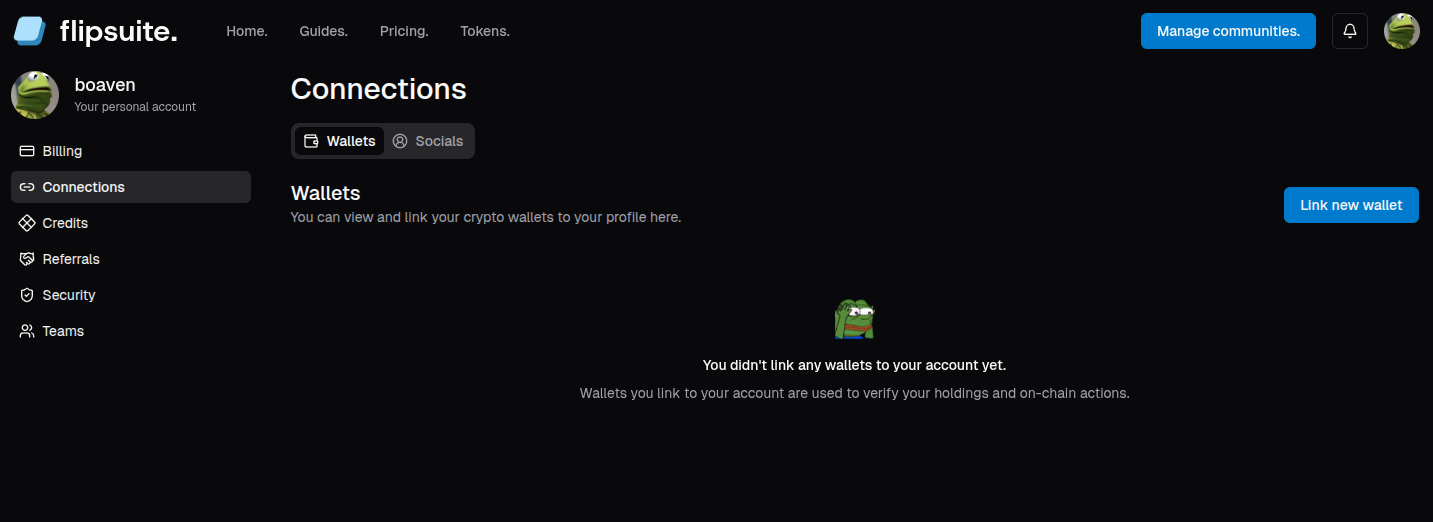 To begin the wallet linking process, simply click the **Link new wallet** button, and choose one of the available
verification methods.
To begin the wallet linking process, simply click the **Link new wallet** button, and choose one of the available
verification methods.
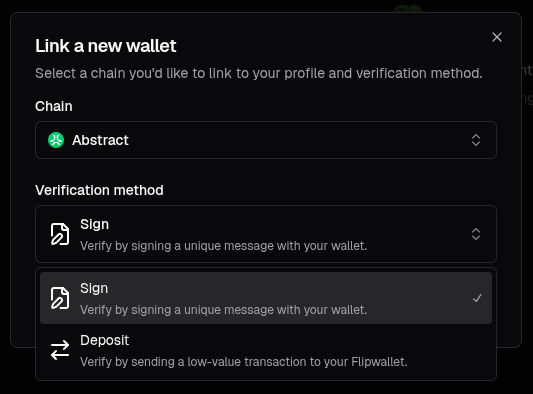 You can verify your wallet in two ways:
1. **By signing a unique message**:\
Requires you to connect a wallet to the Flipsuite website and sign a message using your wallet. This option is free
and gas-less.
2. **By making a deposit to your Flipwallet**:\
It doesn't require you to connect a wallet to the Flipsuite website, but you need to pay transaction costs for a small
deposit of tokens to your [Flipwallet](/flippy/introduction).
### Verify by signing a unique message
To link a wallet to your profile by signing a unique message simply choose a chain and wallet you'd like to
connect with. You'll be asked to prove the ownership of your wallet by signing a unique message with it.
You can verify your wallet in two ways:
1. **By signing a unique message**:\
Requires you to connect a wallet to the Flipsuite website and sign a message using your wallet. This option is free
and gas-less.
2. **By making a deposit to your Flipwallet**:\
It doesn't require you to connect a wallet to the Flipsuite website, but you need to pay transaction costs for a small
deposit of tokens to your [Flipwallet](/flippy/introduction).
### Verify by signing a unique message
To link a wallet to your profile by signing a unique message simply choose a chain and wallet you'd like to
connect with. You'll be asked to prove the ownership of your wallet by signing a unique message with it.
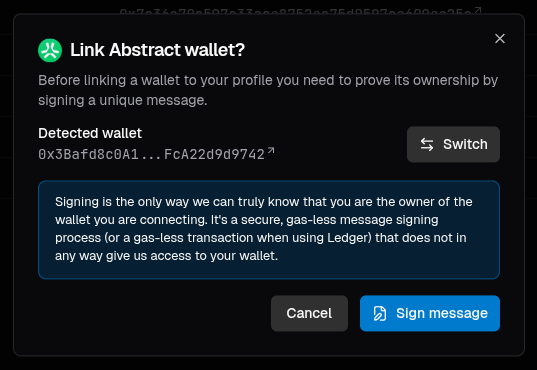 Once the message is signed and verified in our system, the wallet will be linked to your profile.
If you're connecting from mobile it's recommended to use your wallet's app built-in browser for the best
user experience.
Flipsuite will never ask you for a private key or seed phrase to your personal wallet.
### Verify by making a small deposit
To link a wallet to your profile by making a deposit, simply choose a chain and continue. You will be asked to
deposit a small amount of native chain tokens to your own [Flipwallet](/flippy/introduction).
Once the message is signed and verified in our system, the wallet will be linked to your profile.
If you're connecting from mobile it's recommended to use your wallet's app built-in browser for the best
user experience.
Flipsuite will never ask you for a private key or seed phrase to your personal wallet.
### Verify by making a small deposit
To link a wallet to your profile by making a deposit, simply choose a chain and continue. You will be asked to
deposit a small amount of native chain tokens to your own [Flipwallet](/flippy/introduction).
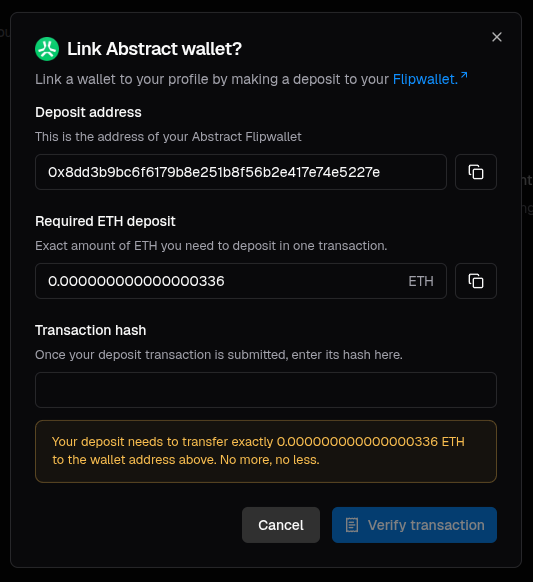 Simply transfer the required amount of tokens to the displayed wallet address, enter the transaction hash
and click **Verify transaction**.
Your deposit needs to have the **exact** shown amount of tokens. If it's even a tiny bit more or less the
verification will fail.
## How to connect socials to my profile?
To connect a new social account to your profile, go to the [**Connections**](https://flipsuite.xyz/account/connections/socials)
page in your account settings and switch to the **Socials** tab.
Simply transfer the required amount of tokens to the displayed wallet address, enter the transaction hash
and click **Verify transaction**.
Your deposit needs to have the **exact** shown amount of tokens. If it's even a tiny bit more or less the
verification will fail.
## How to connect socials to my profile?
To connect a new social account to your profile, go to the [**Connections**](https://flipsuite.xyz/account/connections/socials)
page in your account settings and switch to the **Socials** tab.
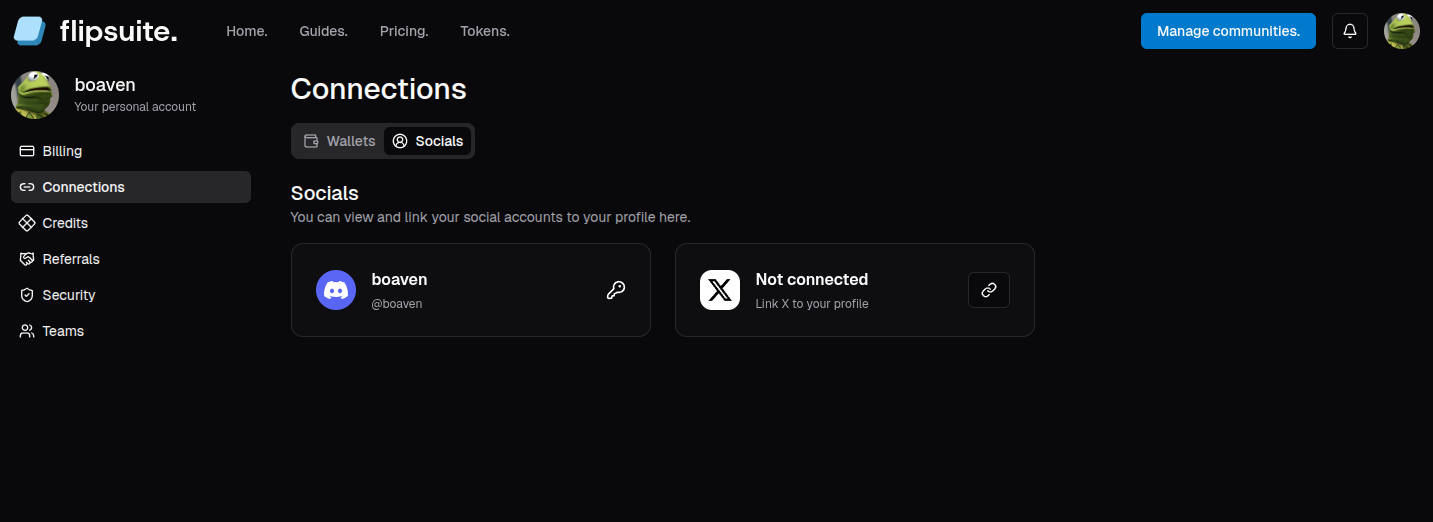 Here, simply choose a social platform you'd like to link and click the `🔗` button to initiate a linking process.
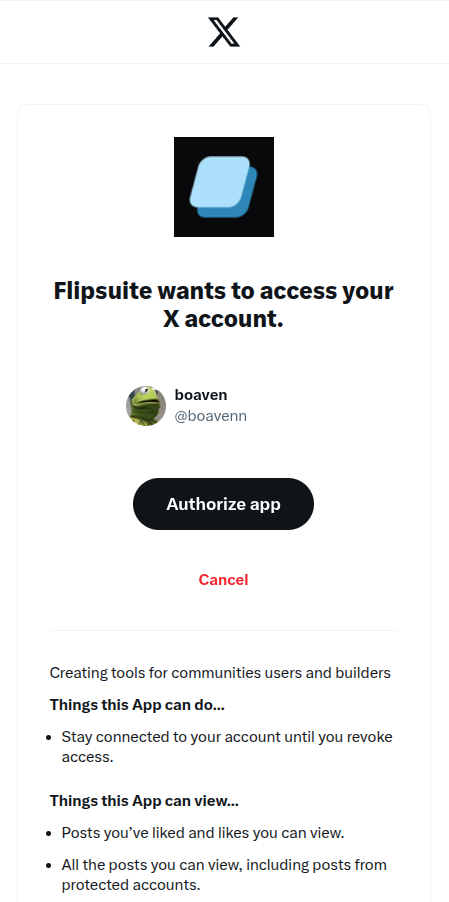
You'll be redirected to that platform's authorization page and asked to authorize Flipsuite to view necessary
details about your account.
Here, simply choose a social platform you'd like to link and click the `🔗` button to initiate a linking process.
You'll be redirected to that platform's authorization page and asked to authorize Flipsuite to view necessary
details about your account.