> ## Documentation Index
> Fetch the complete documentation index at: https://docs.flipsuite.xyz/llms.txt
> Use this file to discover all available pages before exploring further.
# Security
> Learn more about your account security.
## Overview
By default, your Flipsuite account's security is tied to your Discord account security. Therefore, it's essential to
secure your Discord account with multi-factor authentication or security keys.
For enhanced protection of your Flipsuite account, which we highly recommend, you can enable two-factor authentication
through your account settings.
## How to enable 2FA?
To enable 2FA, go to the [**Security**](https://account/security) tab in your account settings and click the **Enable** button.
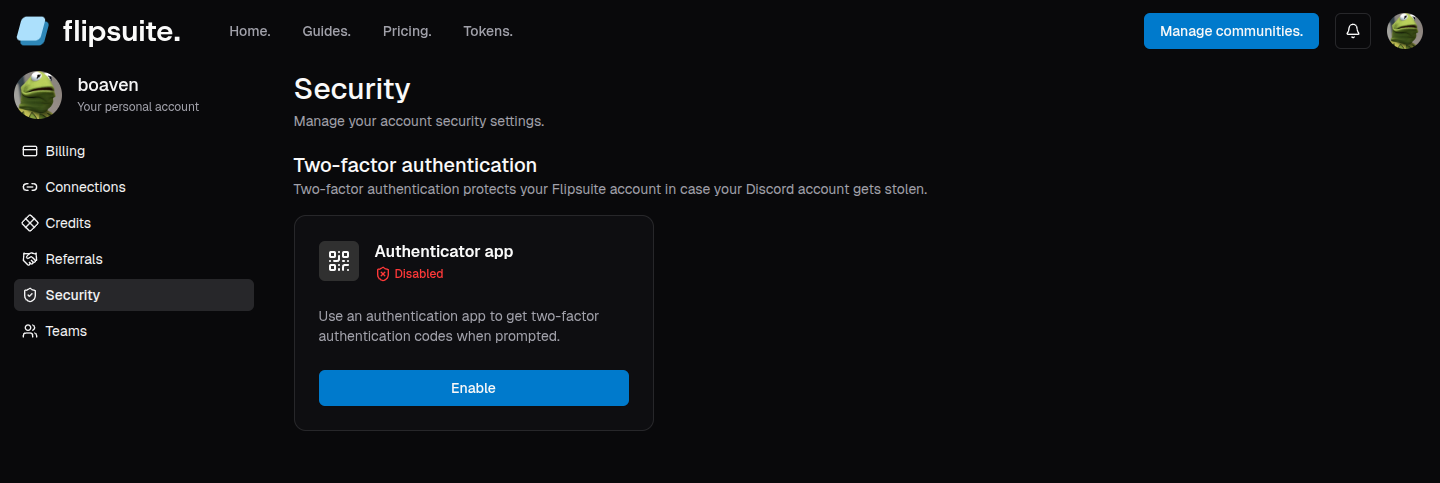 You will be asked to scan the QR code with your authenticator app.
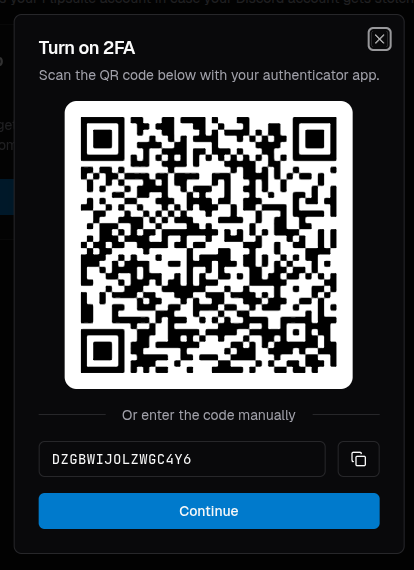 After completing the process of enabling 2FA on your account, you will need to log into your account again
using a code generated by your authenticator app.
After completing the process of enabling 2FA on your account, you will need to log into your account again
using a code generated by your authenticator app.