> ## Documentation Index
> Fetch the complete documentation index at: https://docs.flipsuite.xyz/llms.txt
> Use this file to discover all available pages before exploring further.
# Deposit
> Learn more about the /deposit command.
## Overview
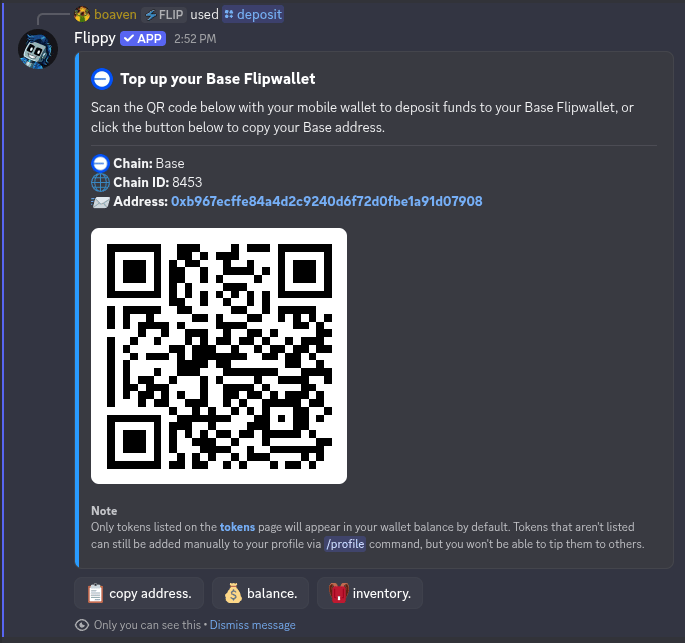
You can use `/deposit` command to deposit tokens to your Flipwallet via QR code.
One of the [supported chains](/chains).
 You don't have to use the `/deposit` command to deposit tokens to your Flipwallet every time. If you know your
chain-specific Flipwallet address, you can send tokens and NFTs to it as you would do with any other wallet.
## Flipwallet address
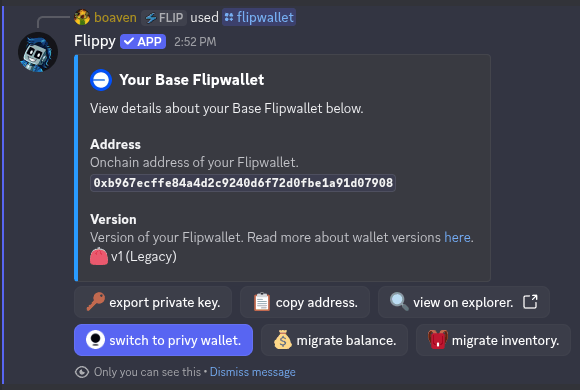
You cand find your Flipwallet address for a specific chain using the `/flipwallet` command.
You don't have to use the `/deposit` command to deposit tokens to your Flipwallet every time. If you know your
chain-specific Flipwallet address, you can send tokens and NFTs to it as you would do with any other wallet.
## Flipwallet address
You cand find your Flipwallet address for a specific chain using the `/flipwallet` command.