> ## Documentation Index
> Fetch the complete documentation index at: https://docs.flipsuite.xyz/llms.txt
> Use this file to discover all available pages before exploring further.
# Rewards
> Learn more about the /rewards command.
## Overview
You can use `/rewards` command to open the reward center and view a different type of rewards you have accumulated
via Flipsuite.
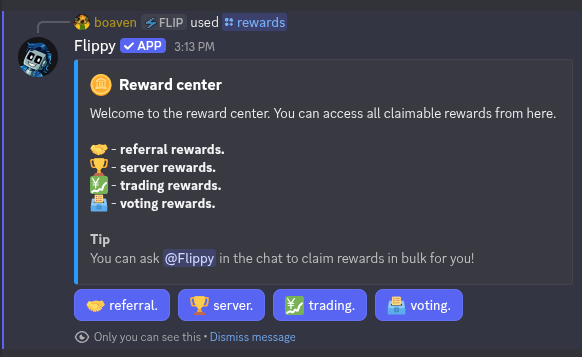 In the reward center, you can access the following types of rewards:
1. **Referral rewards**
2. **Server rewards**
3. **Trading rewards**
4. **Voting rewards**
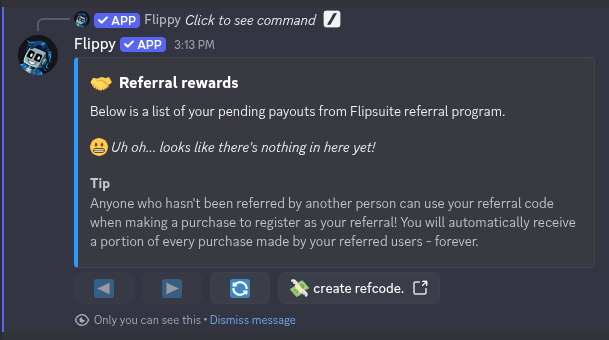
## 1. Referral rewards
Here, you can view rewards that you earned by referring other users to to use Flipsuite.
In the reward center, you can access the following types of rewards:
1. **Referral rewards**
2. **Server rewards**
3. **Trading rewards**
4. **Voting rewards**
## 1. Referral rewards
Here, you can view rewards that you earned by referring other users to to use Flipsuite.
 ## 2. Server rewards
Here, you can view pending rewards that you've accumulated by completing quests.
## 2. Server rewards
Here, you can view pending rewards that you've accumulated by completing quests.
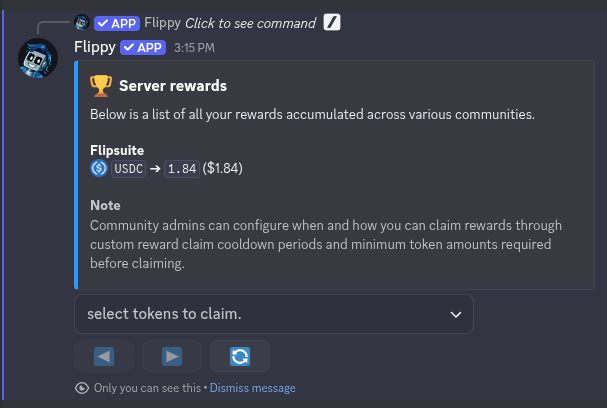 To claim earned tokens, simply select them from the dropdown and confirm, or ask [Flippy](/flippy/introduction) to collect
all claimable rewards for you.
Server owners can configure when and how you can claim rewards through custom reward
claim cooldown periods and minimum token amounts required before claiming.
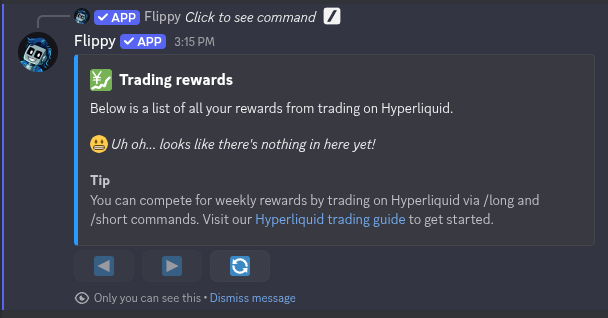
## 3. Trading rewards
Here, you can view pending prizes from weekly Hyperliquid trading competitions. Each week, the top 3 and last 1
traders receive a reward from the accumulated **USDC** pool in that week.
To claim earned tokens, simply select them from the dropdown and confirm, or ask [Flippy](/flippy/introduction) to collect
all claimable rewards for you.
Server owners can configure when and how you can claim rewards through custom reward
claim cooldown periods and minimum token amounts required before claiming.
## 3. Trading rewards
Here, you can view pending prizes from weekly Hyperliquid trading competitions. Each week, the top 3 and last 1
traders receive a reward from the accumulated **USDC** pool in that week.
 To claim the rewards, simply select them from the dropdown and confirm.
## 4. Voting rewards
Here, you can view pending rewards that you earned by voting for Flipsuite. Every 12 hours, you can vote for Flipsuite
on [Top.gg](https://top.gg/bot/1150448986264698980/vote) to receive a random reward from the pool.
To claim the rewards, simply select them from the dropdown and confirm.
## 4. Voting rewards
Here, you can view pending rewards that you earned by voting for Flipsuite. Every 12 hours, you can vote for Flipsuite
on [Top.gg](https://top.gg/bot/1150448986264698980/vote) to receive a random reward from the pool.
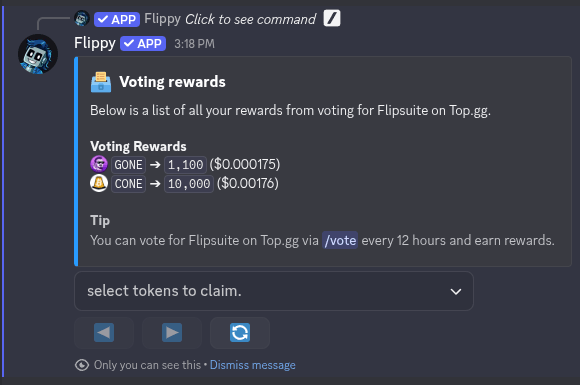 To claim the rewards, simply select them from the dropdown and confirm.