> ## Documentation Index
> Fetch the complete documentation index at: https://docs.flipsuite.xyz/llms.txt
> Use this file to discover all available pages before exploring further.
# Introduction
> Get familiar with Flipwallets and Flippy, your onchain wallet assistant.
## What is Flipwallet?
Flipwallet is your ultimate social wallet that connects all [supported blockchains](/chains) together.
You can access it through Discord, and that's where you can chat with Flippy as well.
Your Flipwallet is automatically generated for you as soon as you need it - no need to sign up, deposit tokens,
or manually create it. Simply ask Flippy for your wallet address or execute the `/flipwallet` command in Discord
to see your chain-specific address.
You can deposit any token you want to your Flipwallet, but only tokens present on the [supported tokens](https://flipsuite.xyz/tokens)
list will be visible in your wallet unless you save them in your custom token list. Tokens that are not supported cannot be
used for tips and rewards.
All NFT collections can be accessed through Flipwallet by default. Unless they are marked as spam, they can be
used for tips and rewards immediately.
Simply ask Flippy for your wallet address or execute the `/flipwallet` command in Discord to see your
chain-specific address. Then, simply deposit tokens and NFTs to this address as you would do to any other wallet.
You can withdraw tokens and NFTs from your Flipwallet by asking Flippy or using the `/send tokens` and `/send nfts`
commands in Discord and specifying the address you want to withdraw to.
We do not charge any fees for making transactions with your Flipwallet. The only fees you have to pay are the
transaction gas fees, which vary for each blockchain.
Yes, to export the private key of your Flipwallet simply use the `/flipwallet` command in Discord
and click the **export private key** button.
## Who is Flippy?
Flippy is a digital wallet assistant built on FlippyOS, layered over Flipsuite. It has supervised access to your Flipwallet
and can execute multiple actions on your behalf, many of which are not possible via traditional slash commands.
**What does Flippy say about himself?**
> I'm Flippy, your onchain wallet assistant powered by FlippyOS on top of Flipsuite. I keep things chill and
> degen-friendly while handling hundreds of crypto actions daily. Whether you're a normie or a power user, i got
> your back with tips, swaps, airdrops, raffles, and more - all in a smooth, casual style. Think of me as your crypto
> sidekick making wallet moves easy and fun.
Even though Flippy has supervised access to your account, we are very well aware that AI agents sometimes make
mistakes, so all potentially dangerous or sensitive actions are always protected by a confirmation step, so Flippy
doesn't accidentally do something you didn't mean to.
## What can Flippy do for you?
* Check your Flipwallet address
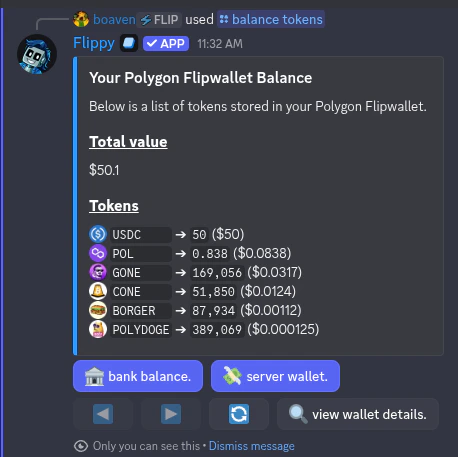
* Check your token and NFT balances
* Send token and NFT tips to users or roles
* Create raffles and airdrops
* Place limit buy and sell orders
* Swap and bridge tokens across chains (incl. bulk swaps)
* Send tokens and NFTs to external wallets (incl. bulk transfers)
* Claim all your pending rewards at once
* Bump your airdrops and raffles
* Show you your wallet balance or NFT inventory
* Answer any questions regarding Flipsuite
* Withdraw tokens from the bank
* Deposit tokens to the bank
* Save tokens in your custom token list
* Open, close and update Hyperliquid positions for you
* Show you your Hyperliquid positions and share them in chat
* Generate Hyperliquid referral code
* Provide technical analysis on various tokens, and show you their charts
* And much, much more...
Flippy is being updated rapidly, so the above list might not be up-to-date at all times. Best way to check what
it can do is to ask him in chat directly.
## How much does it cost?
Interacting with Flippy is totally free during beta. Once beta tests are over, Flippy will be available for
free to everyone with a limited number of interactions per day, week, or month. Unlimited usage will be gated behind
a premium subscription.