> ## Documentation Index
> Fetch the complete documentation index at: https://docs.flipsuite.xyz/llms.txt
> Use this file to discover all available pages before exploring further.
# Notifications
> Send verification logs to a Discord channel.
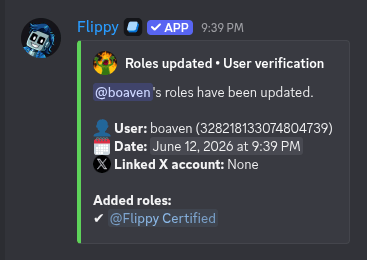
Use gating notifications to monitor who verified, which roles changed, and what happened during bulk refreshes.
## Set up a verification logs channel
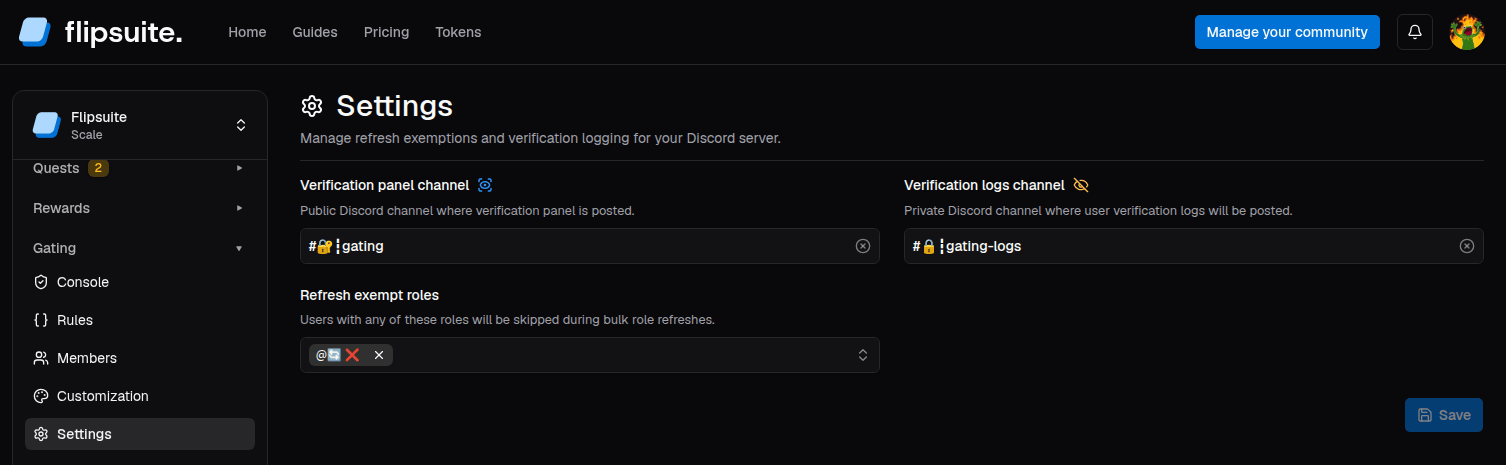
Open **Gating > Settings** and set **Verification logs channel**.
 Keep the verification logs channel private. These posts are meant for moderators and can expose who gained or lost
access roles.
## What gets posted
Each gating log will include:
* The member whose roles were updated.
* Roles that were added and/or removed.
* User's linked X account, if their privacy settings allow it.
Keep the verification logs channel private. These posts are meant for moderators and can expose who gained or lost
access roles.
## What gets posted
Each gating log will include:
* The member whose roles were updated.
* Roles that were added and/or removed.
* User's linked X account, if their privacy settings allow it.