> ## Documentation Index
> Fetch the complete documentation index at: https://docs.flipsuite.xyz/llms.txt
> Use this file to discover all available pages before exploring further.
# Shared Wallet
> Learn how to set up a shared tipping wallet in your server.
## Overview
If you're a project owner, you might want to set up a shared wallet for your server that you and your mods can use
to tip, raffle, and airdrop tokens from a single wallet. This allows you and your team members to not use their
personal Flipwallets in your server.
## Step 1 - Add a shared wallet
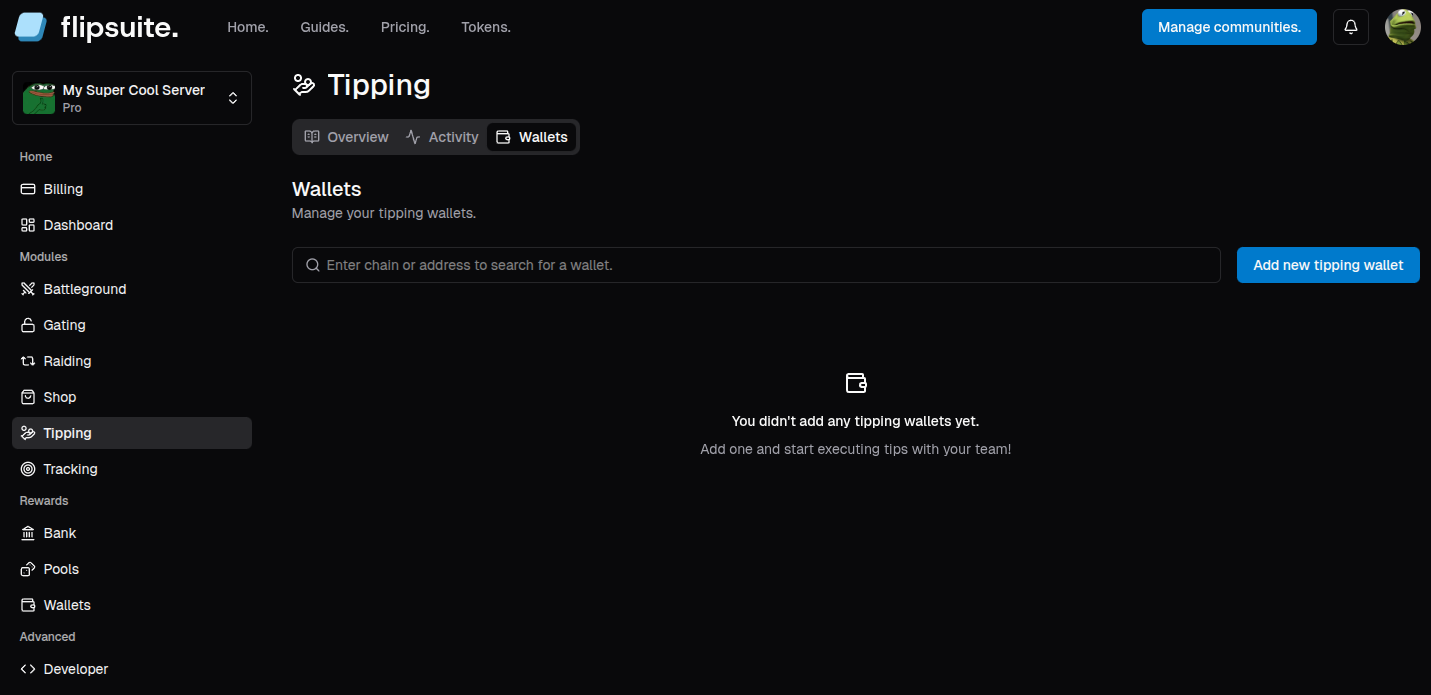
To create a shared tipping wallet, go to the **Tipping** tab in your community dashboard and switch to the **Wallets** tab.
Click the **Add new tipping wallet** button to get started.
 When adding a shared wallet for a selected chain, you can choose to either generate a totally fresh wallet or use
your own. **In both cases you have full access to the wallet's private key.**
The private key of your shared tipping wallet is accessible only by the community owner - and if your community is
shared in a [team](/account/teams), by team owner and admins.
After creating a shared tipping wallet you will be redirected to its overview panel:
When adding a shared wallet for a selected chain, you can choose to either generate a totally fresh wallet or use
your own. **In both cases you have full access to the wallet's private key.**
The private key of your shared tipping wallet is accessible only by the community owner - and if your community is
shared in a [team](/account/teams), by team owner and admins.
After creating a shared tipping wallet you will be redirected to its overview panel:
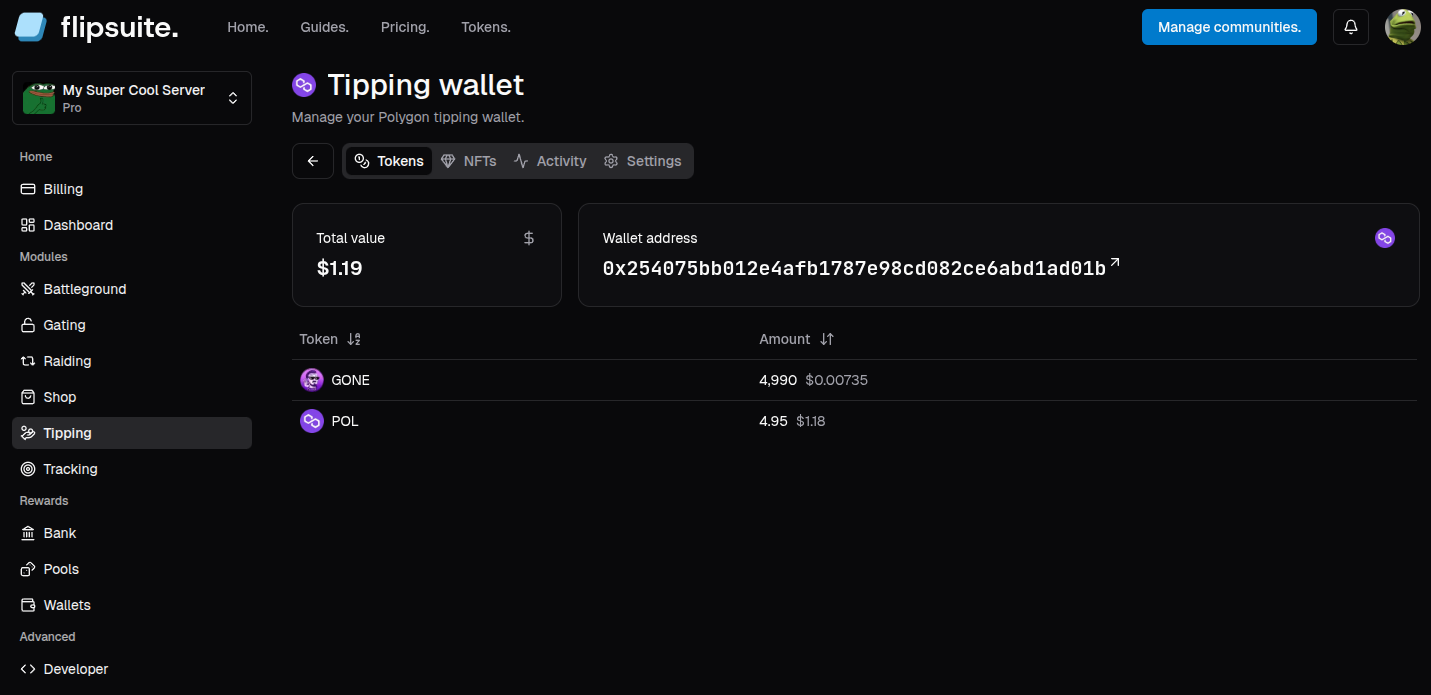 You can switch between the tabs to view your tipping wallet tokens and NFT balance, activity, and look up its private
key if you have access.
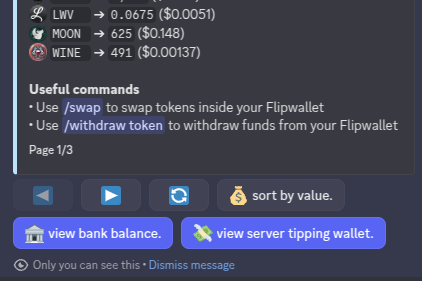
If you want to check the balance of all shared tipping wallets in Discord, simply go to your `/balance` or `/inventory`
and click the **server tipping wallet** button.
You can switch between the tabs to view your tipping wallet tokens and NFT balance, activity, and look up its private
key if you have access.
If you want to check the balance of all shared tipping wallets in Discord, simply go to your `/balance` or `/inventory`
and click the **server tipping wallet** button.
 ## Step 2 - Switch to shared wallet
To start using your shared wallet in Discord, you need to either switch to use it in your profile settings, or
switch to it at the time of confirming a tip, airdrop or raffle.
### Switch via profile
Go to `/profile > ⚙️ settings > 💸 tipping` tab and switch the tipping wallet option to **Team Flipwallet**.
## Step 2 - Switch to shared wallet
To start using your shared wallet in Discord, you need to either switch to use it in your profile settings, or
switch to it at the time of confirming a tip, airdrop or raffle.
### Switch via profile
Go to `/profile > ⚙️ settings > 💸 tipping` tab and switch the tipping wallet option to **Team Flipwallet**.
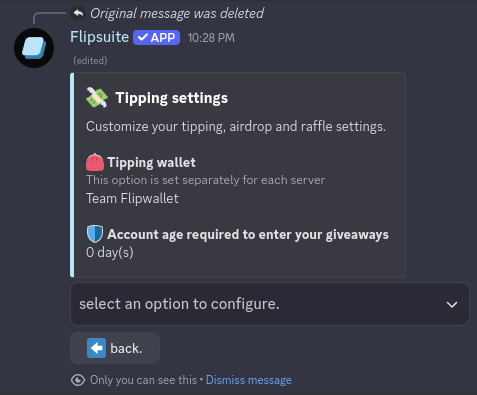 The tipping wallet option won't be available if you don't have permissions to use it or try to access your
tipping settings outside of your server.
Now all your tips, airdrops, and raffles will use the shared tipping wallet, until you switch it back
to your personal Flipwallet.
### Switch when tipping
If you have permission to use the shared wallet, you can switch to it at the time of confirming a tip, airdrop or
raffle, like in the screenshot below:
The tipping wallet option won't be available if you don't have permissions to use it or try to access your
tipping settings outside of your server.
Now all your tips, airdrops, and raffles will use the shared tipping wallet, until you switch it back
to your personal Flipwallet.
### Switch when tipping
If you have permission to use the shared wallet, you can switch to it at the time of confirming a tip, airdrop or
raffle, like in the screenshot below:
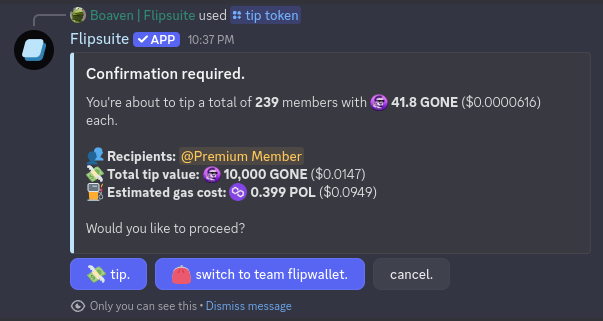 All you have to do is click the **switch to team wallet** button.
## Step 3 - Set permissions
By default, only admins can use the shared tipping wallet in your server. If you wish to also allow your server
mods to use it, you can do so via [control panel](/quickstart#step-2-setup-your-control-panel) in Discord.
Simply go to `⚙️ settings > 💸 tipping > 🔐 permissions` until you are here:
All you have to do is click the **switch to team wallet** button.
## Step 3 - Set permissions
By default, only admins can use the shared tipping wallet in your server. If you wish to also allow your server
mods to use it, you can do so via [control panel](/quickstart#step-2-setup-your-control-panel) in Discord.
Simply go to `⚙️ settings > 💸 tipping > 🔐 permissions` until you are here:
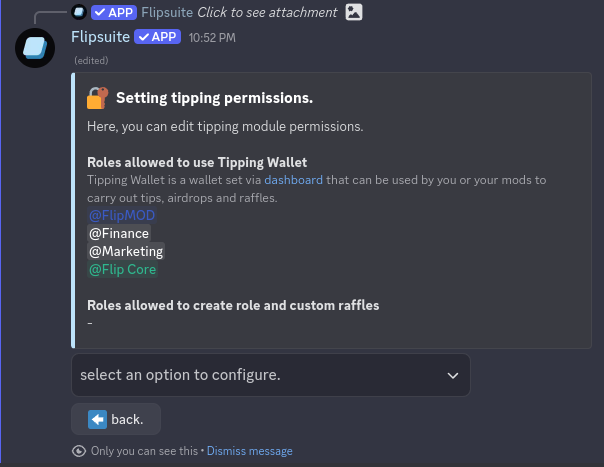 To give one of the roles in your server permission to use shared tipping wallet simply select them from the dropdown.