> ## Documentation Index
> Fetch the complete documentation index at: https://docs.flipsuite.xyz/llms.txt
> Use this file to discover all available pages before exploring further.
# Notifications
> Stay updated on quest activity via Discord.
## Overview
Configure real-time notifications to stay informed when users interact with your quests.
Notifications are sent directly to your Discord server via Flippy.
## Notifications
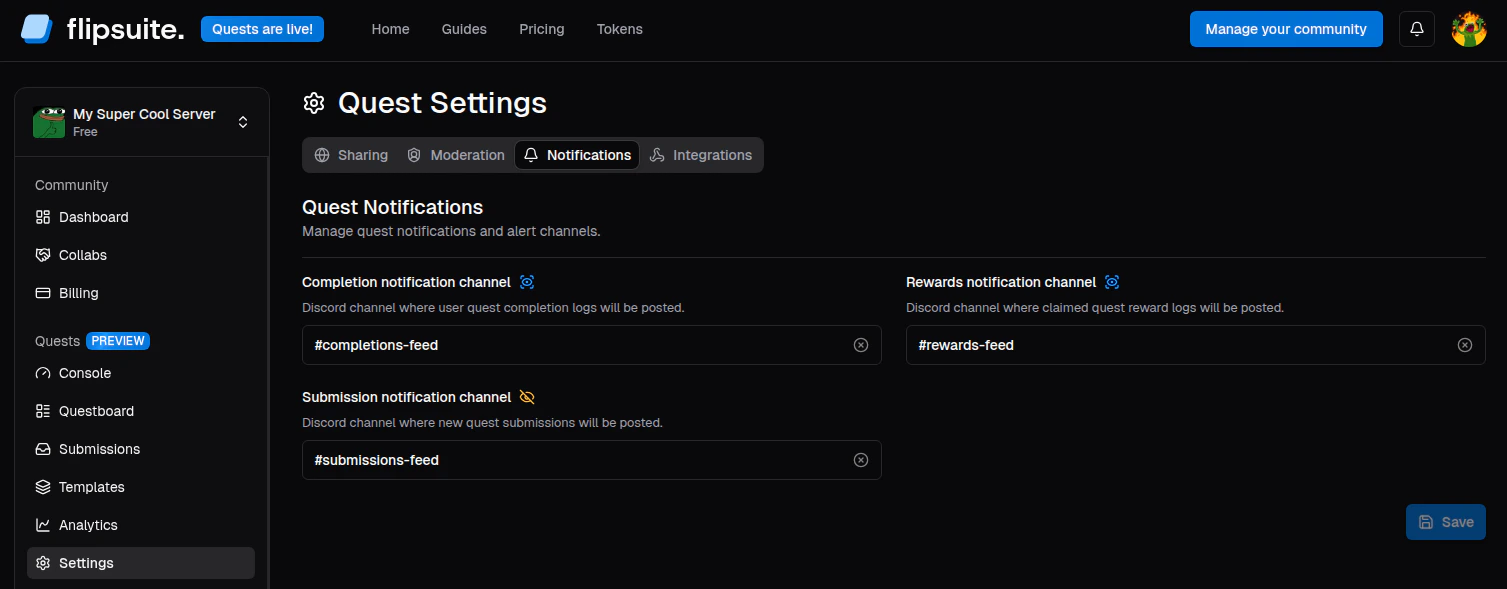
1. **Completions**: Receive a notification every time a user successfully completes a quest.
2. **Rewards**: Receive a notification every time a user receives a quest reward.
3. **Submissions**: Get alerted whenever a user submits a task that requires manual review.
## Configuration
To set up notifications, simply go to the **Quests > Settings > Notifications** page and select the Discord channel
where notifications should be posted for each notification type.
 For notifications to work, Flippy must be present in your Discord server and it must have **View Channel**
and **Send Messages** permissions in the selected channel.
For notifications to work, Flippy must be present in your Discord server and it must have **View Channel**
and **Send Messages** permissions in the selected channel.