> ## Documentation Index
> Fetch the complete documentation index at: https://docs.flipsuite.xyz/llms.txt
> Use this file to discover all available pages before exploring further.
# Custom
> Custom task integration using external APIs.
## API Task
Verify quest completion by making a request to an external endpoint. This allows you to create quests with custom tasks
tied to your own platform or application.
 ### Request payload
When verifying an API task, our system sends a `POST` request to the endpoint you specified in the task settings.
Each request includes the following data:
Below request payload is sent when the verification is triggered by a quest completion.
```typescript theme={null}
interface FlipsuiteCustomTaskVerificationRequestPayload {
community: {
id: string // ID of the community the quest belongs to
}
quest: {
id: string // ID of the quest
}
task: {
id: string // ID of the task (unique within the quest)
}
user: {
// User's Discord account details
discord?: {
id: string // Account ID
username: string // Account username
}
// User's X account details
twitter?: {
id: string // Account ID
handle: string // Account handle
username: string // Account username
}
// User's linked wallets
wallets?: {
id: string // Unique wallet ID
chain: string // Chain key (e.g., "Ethereum" or "Solana")
chainId: string // Chain ID (e.g., "137" for Polygon or "osmosis-1" for Osmosis)
address: string // Wallet address
}[]
}
}
```
Below request payload is sent when the verification is triggered by a gating rule.
```typescript theme={null}
interface FlipsuiteCustomTaskVerificationRequestPayload {
community: {
id: string // ID of the community the quest belongs to
}
rule: {
id: string // ID of the gating rule
discordRoleId: string // ID of the gated Discord role
}
user: {
// User's Discord account details
discord?: {
id: string // Account ID
username: string // Account username
}
// User's X account details
twitter?: {
id: string // Account ID
handle: string // Account handle
username: string // Account username
}
// User's linked wallets
wallets?: {
id: string // Unique wallet ID
chain: string // Chain key (e.g., "Ethereum" or "Solana")
chainId: string // Chain ID (e.g., "137" for Polygon or "osmosis-1" for Osmosis)
address: string // Wallet address
}[]
}
}
```
### Expected response
If the task verification is successful, return a response with a `200` status code. No response body is required, but
you can include a `verificationData` field in the response to store additional, arbitrary metadata about the
verification result. This metadata will be saved with the task completion record for future reference.
```json theme={null}
{
"verificationData": {
"score": 1000
}
}
```
If the task verification fails, return a response with a `400` status code and include a `message` field in the response body.
This message should explain why the verification failed in a user-friendly way, as it will be displayed to the user in the Flipsuite UI.
```json theme={null}
{
"message": "You have scored only 369 points on the leaderboard, but at least 1,000 are required."
}
```
### Endpoint security
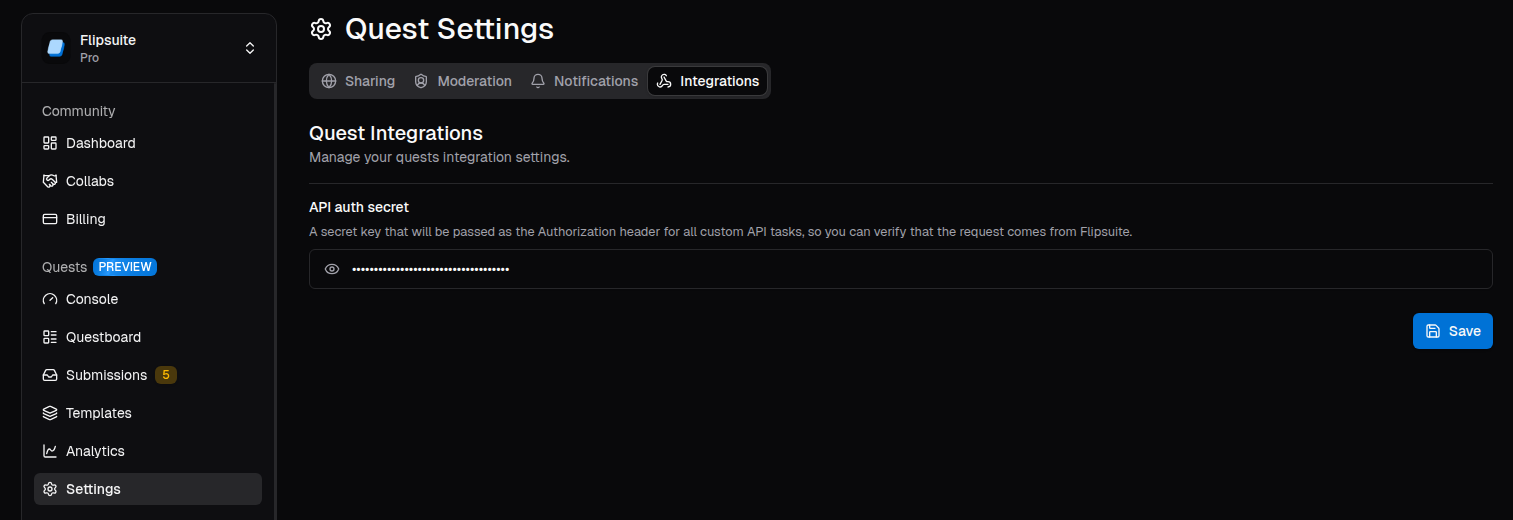
In the quest integration settings, you can configure an authentication secret that will be sent with every request to your API.
This allows you to verify that the request originated from Flipsuite. The secret is included in the `Authorization` header of each request.
### Request payload
When verifying an API task, our system sends a `POST` request to the endpoint you specified in the task settings.
Each request includes the following data:
Below request payload is sent when the verification is triggered by a quest completion.
```typescript theme={null}
interface FlipsuiteCustomTaskVerificationRequestPayload {
community: {
id: string // ID of the community the quest belongs to
}
quest: {
id: string // ID of the quest
}
task: {
id: string // ID of the task (unique within the quest)
}
user: {
// User's Discord account details
discord?: {
id: string // Account ID
username: string // Account username
}
// User's X account details
twitter?: {
id: string // Account ID
handle: string // Account handle
username: string // Account username
}
// User's linked wallets
wallets?: {
id: string // Unique wallet ID
chain: string // Chain key (e.g., "Ethereum" or "Solana")
chainId: string // Chain ID (e.g., "137" for Polygon or "osmosis-1" for Osmosis)
address: string // Wallet address
}[]
}
}
```
Below request payload is sent when the verification is triggered by a gating rule.
```typescript theme={null}
interface FlipsuiteCustomTaskVerificationRequestPayload {
community: {
id: string // ID of the community the quest belongs to
}
rule: {
id: string // ID of the gating rule
discordRoleId: string // ID of the gated Discord role
}
user: {
// User's Discord account details
discord?: {
id: string // Account ID
username: string // Account username
}
// User's X account details
twitter?: {
id: string // Account ID
handle: string // Account handle
username: string // Account username
}
// User's linked wallets
wallets?: {
id: string // Unique wallet ID
chain: string // Chain key (e.g., "Ethereum" or "Solana")
chainId: string // Chain ID (e.g., "137" for Polygon or "osmosis-1" for Osmosis)
address: string // Wallet address
}[]
}
}
```
### Expected response
If the task verification is successful, return a response with a `200` status code. No response body is required, but
you can include a `verificationData` field in the response to store additional, arbitrary metadata about the
verification result. This metadata will be saved with the task completion record for future reference.
```json theme={null}
{
"verificationData": {
"score": 1000
}
}
```
If the task verification fails, return a response with a `400` status code and include a `message` field in the response body.
This message should explain why the verification failed in a user-friendly way, as it will be displayed to the user in the Flipsuite UI.
```json theme={null}
{
"message": "You have scored only 369 points on the leaderboard, but at least 1,000 are required."
}
```
### Endpoint security
In the quest integration settings, you can configure an authentication secret that will be sent with every request to your API.
This allows you to verify that the request originated from Flipsuite. The secret is included in the `Authorization` header of each request.