> ## Documentation Index
> Fetch the complete documentation index at: https://docs.flipsuite.xyz/llms.txt
> Use this file to discover all available pages before exploring further.
# Reward Pools
> Learn how to create reward pools in your community.
## Creating a reward pool
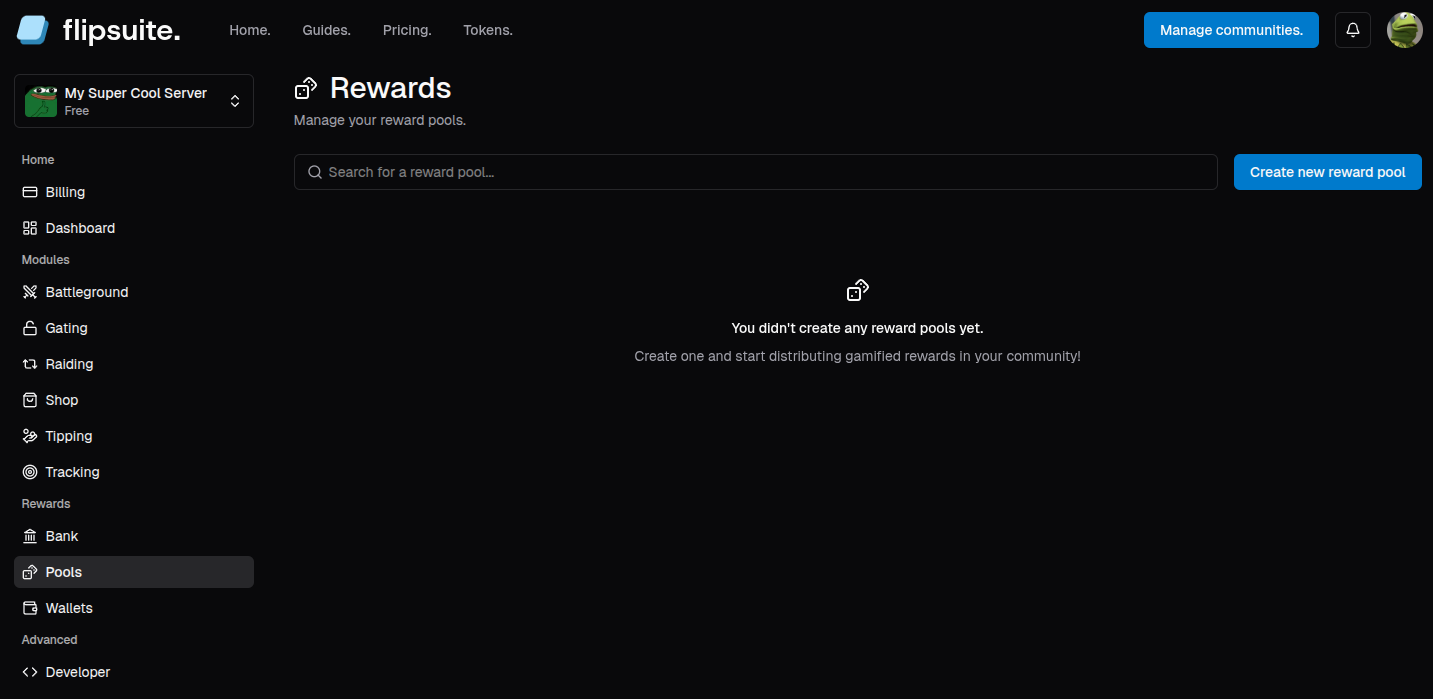
To create a reward pool, go to the **Pools** tab in your community dashboard and click the **Create new reward pool**
button to get started. You'll be asked to provide a name for your reward pool.
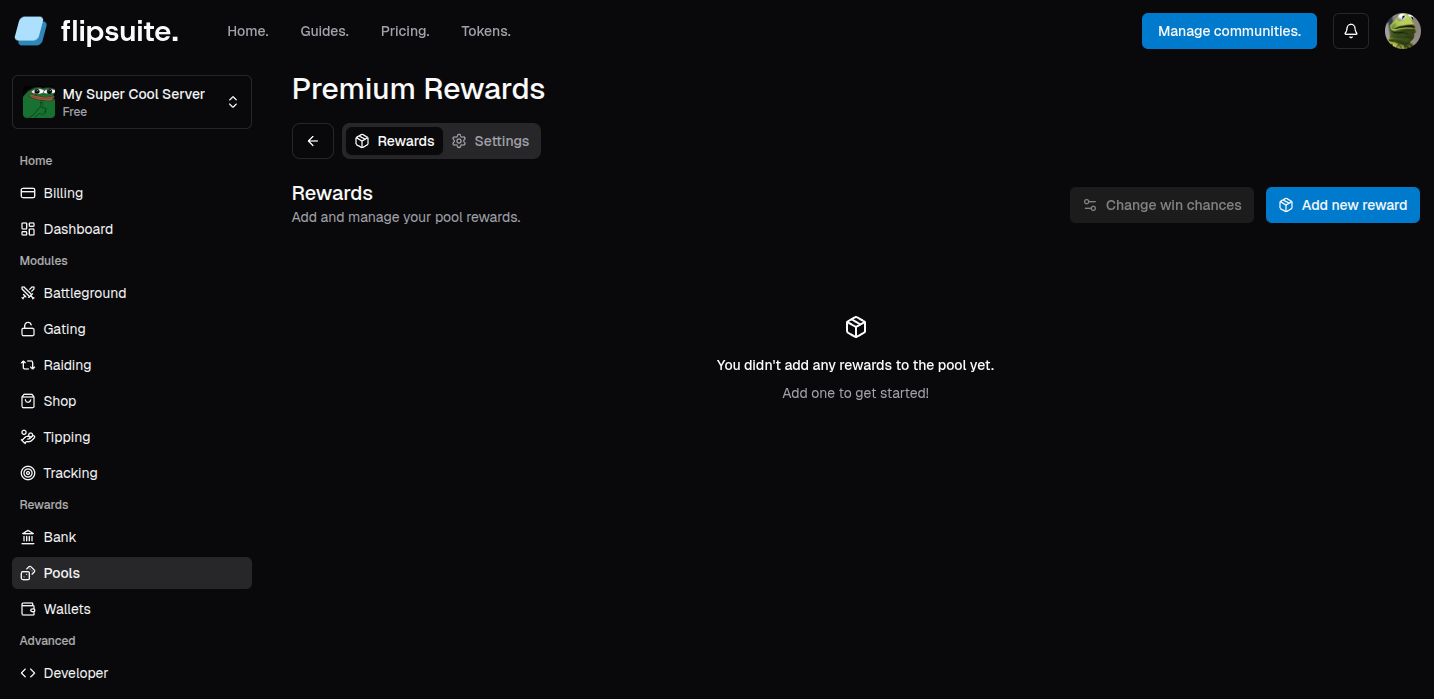
 After successfully creating the reward pool you will get redirected to the reward pool details:
 ## Adding rewards to the pool
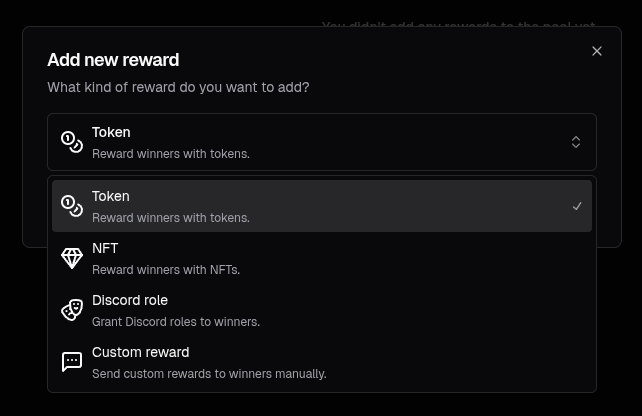
Once a reward pool is created, you can start adding rewards to it! Simply click the **Add new reward** button and choose
one of the available reward types.
## Adding rewards to the pool
Once a reward pool is created, you can start adding rewards to it! Simply click the **Add new reward** button and choose
one of the available reward types.
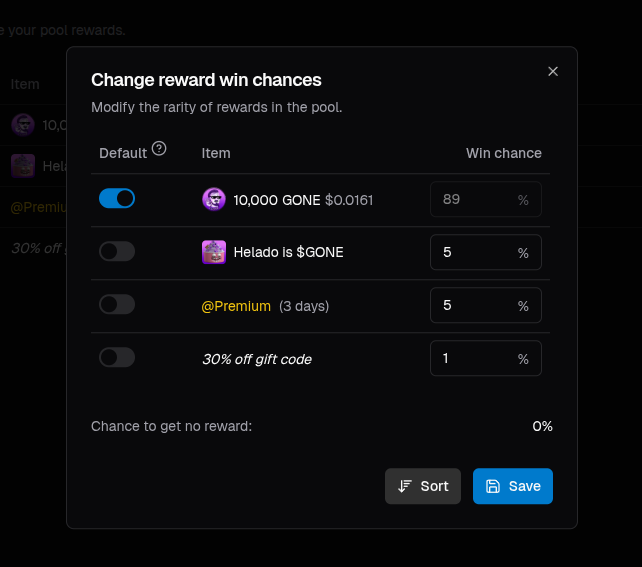
 ## Tweaking reward win chances
After you added a bunch of rewards to the pool, it's time to assign win chance to each of them. You can do so by
clicking the **Change win chances** button.
## Tweaking reward win chances
After you added a bunch of rewards to the pool, it's time to assign win chance to each of them. You can do so by
clicking the **Change win chances** button.
 ## Wrapping it up
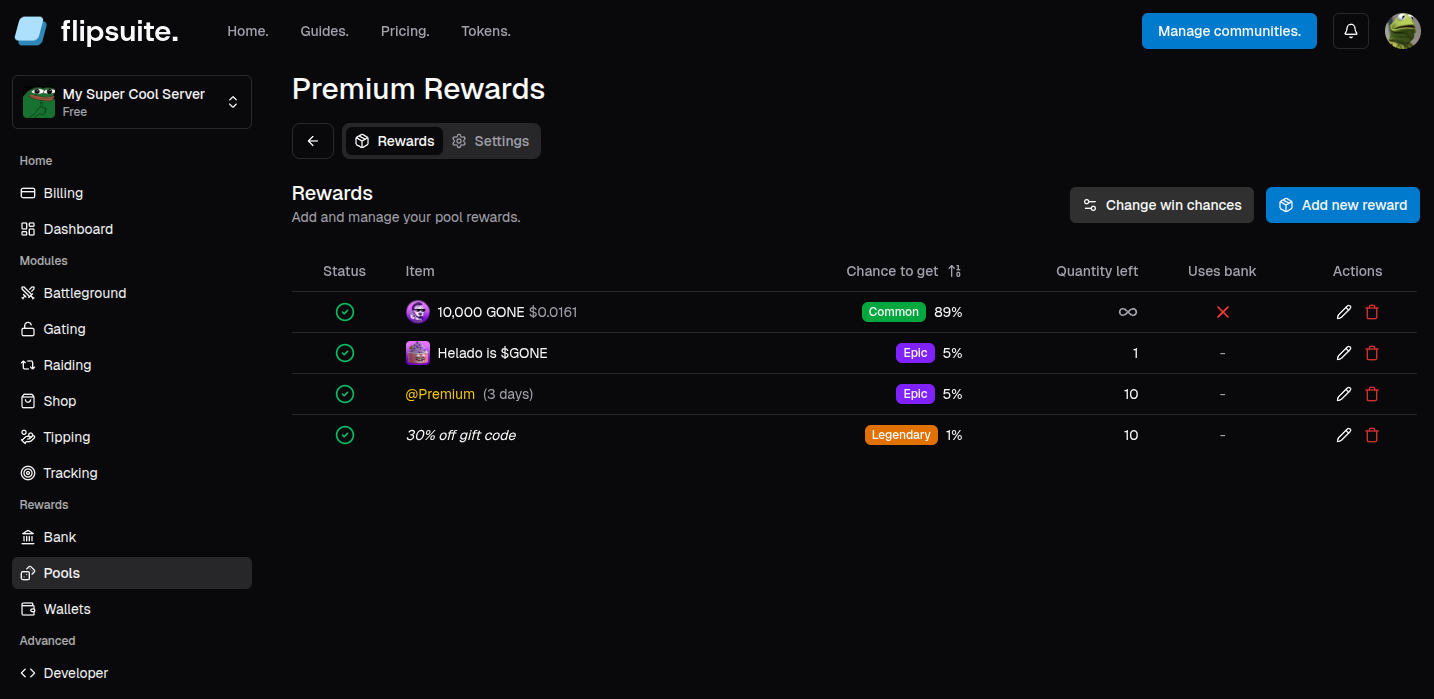
After tweaking reward win chances, your page should look similar to the screenshot below, showing all rewards in the pool,
their win chance and quantity left. If there's any issue with one of the added rewards, you will notice the status icon
changing its color to yellow or red. If everything's green though, your reward pool is ready to be used!
## Wrapping it up
After tweaking reward win chances, your page should look similar to the screenshot below, showing all rewards in the pool,
their win chance and quantity left. If there's any issue with one of the added rewards, you will notice the status icon
changing its color to yellow or red. If everything's green though, your reward pool is ready to be used!