> ## Documentation Index
> Fetch the complete documentation index at: https://docs.flipsuite.xyz/llms.txt
> Use this file to discover all available pages before exploring further.
# Deliverables
> Choose what buyers receive after purchasing a storefront item.
## Discord Role
Grant a Discord role to the buyer or gift recipient.
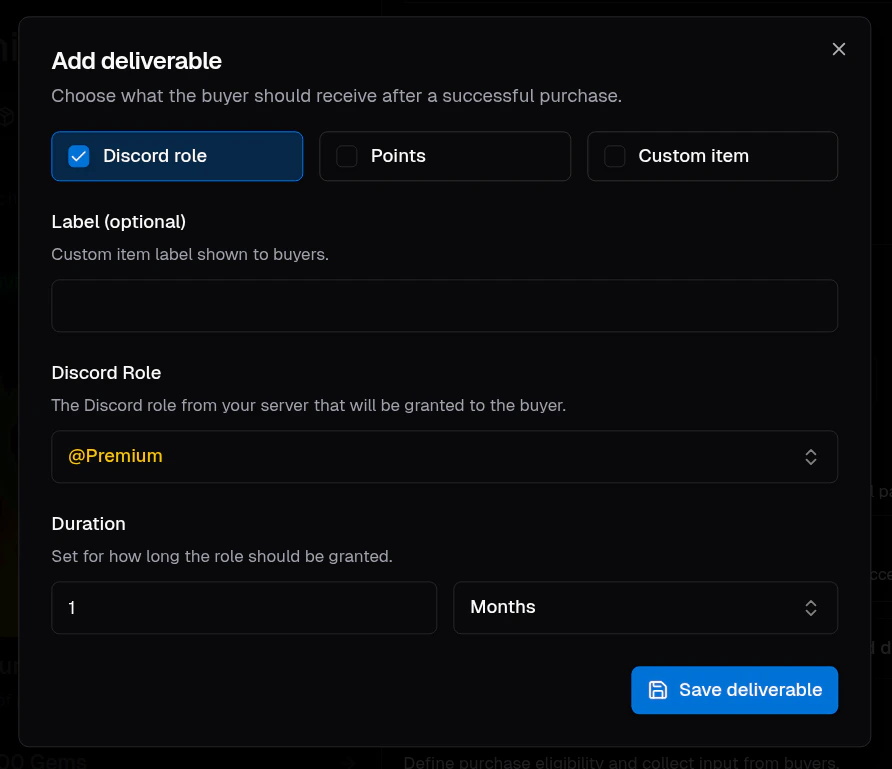 Role deliverables support:
* **Label**: Optional buyer-facing label for the deliverable.
* **Discord role**: The server role that should be granted.
* **Duration**: Optional temporary duration. Leave it empty for a permanent role grant.
Flippy can only grant and revoke roles from users in your server that are **below its role** in your server's
role hierarchy. You can access it by going to the `Roles` tab in your server settings.
Role deliverables support:
* **Label**: Optional buyer-facing label for the deliverable.
* **Discord role**: The server role that should be granted.
* **Duration**: Optional temporary duration. Leave it empty for a permanent role grant.
Flippy can only grant and revoke roles from users in your server that are **below its role** in your server's
role hierarchy. You can access it by going to the `Roles` tab in your server settings.
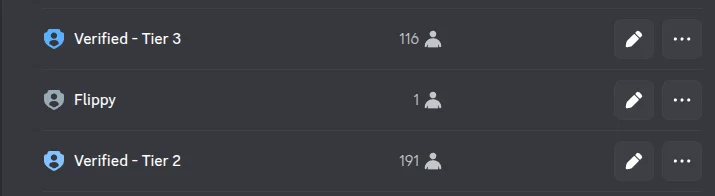 In the example above, Flippy can only grant the "Verified - Tier 2" role to your community members. It won't have
access to the "Verified - Tier 3" role because it's above the bot's role.
## Points
Grant points to the buyer after a successful purchase.
In the example above, Flippy can only grant the "Verified - Tier 2" role to your community members. It won't have
access to the "Verified - Tier 3" role because it's above the bot's role.
## Points
Grant points to the buyer after a successful purchase.
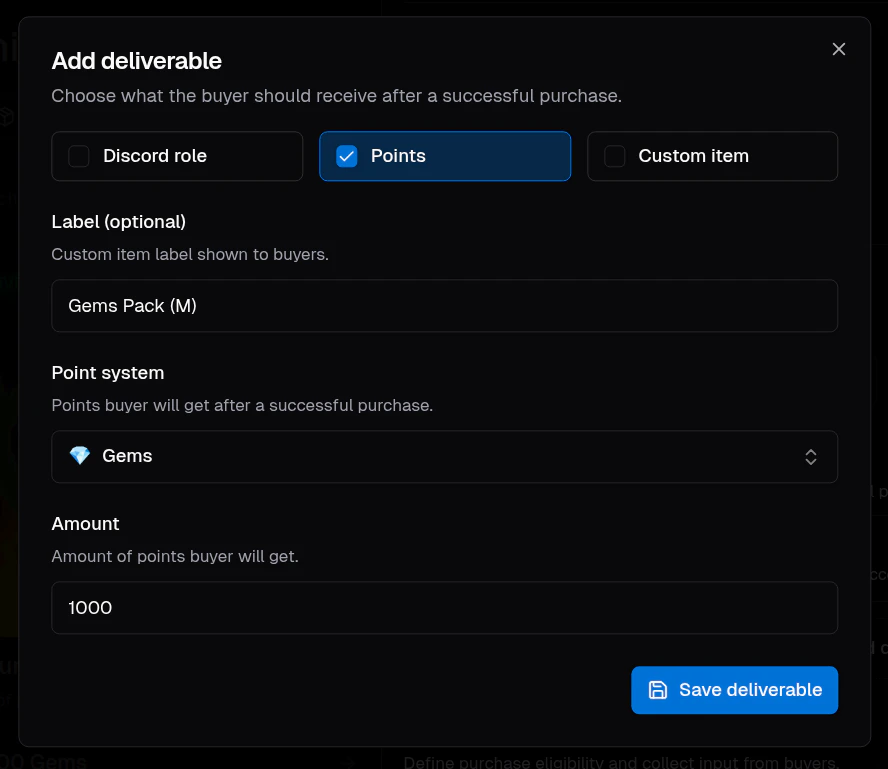 Points deliverables support:
* **Label**: Optional buyer-facing label.
* **Point system**: The point system the buyer should receive.
* **Amount**: How many points should be granted.
## Custom
Create a manual fulfillment for anything that Flipsuite cannot distribute automatically.
Points deliverables support:
* **Label**: Optional buyer-facing label.
* **Point system**: The point system the buyer should receive.
* **Amount**: How many points should be granted.
## Custom
Create a manual fulfillment for anything that Flipsuite cannot distribute automatically.
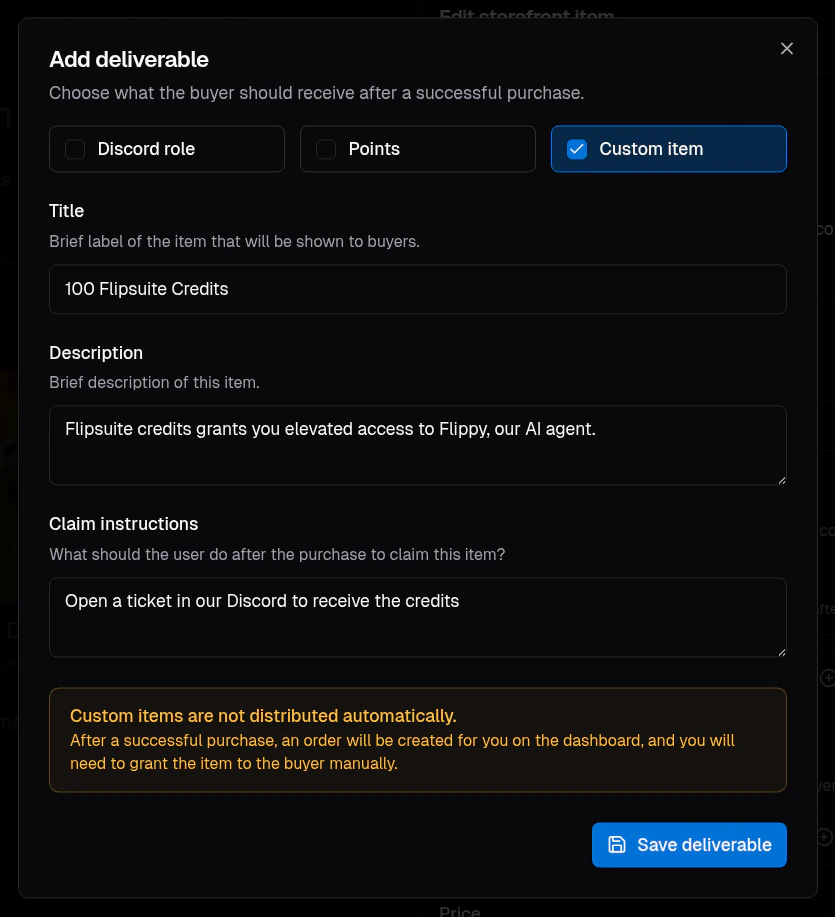 Custom deliverables support:
* **Title**: Short label shown to buyers.
* **Description**: Brief explanation of the custom item.
* **Claim instructions**: What the buyer should do after purchase.
Custom deliverables are great for merch claims, allowlist spots, codes, off-platform rewards, or anything your team fulfills manually.
Custom items are not delivered automatically. After purchase, the order stays in the storefront orders view until an admin marks it as delivered.
## Bundles
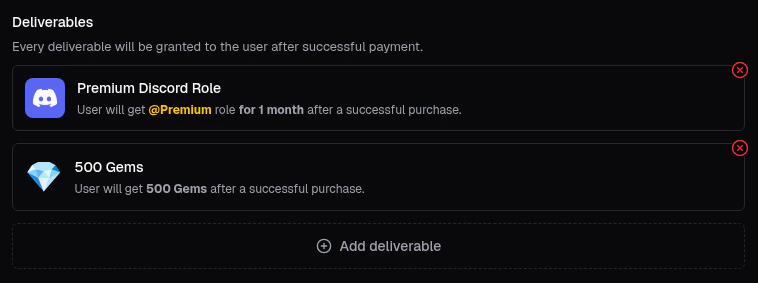
Add more than one deliverable to a single storefront item to grant several items at once.
Custom deliverables support:
* **Title**: Short label shown to buyers.
* **Description**: Brief explanation of the custom item.
* **Claim instructions**: What the buyer should do after purchase.
Custom deliverables are great for merch claims, allowlist spots, codes, off-platform rewards, or anything your team fulfills manually.
Custom items are not delivered automatically. After purchase, the order stays in the storefront orders view until an admin marks it as delivered.
## Bundles
Add more than one deliverable to a single storefront item to grant several items at once.