> ## Documentation Index
> Fetch the complete documentation index at: https://docs.flipsuite.xyz/llms.txt
> Use this file to discover all available pages before exploring further.
# Wallets
> Configure the wallets used to receive storefront token payments.
## Add a storefront wallet
Open **Storefronts Settings** and go to the **Wallets** tab.
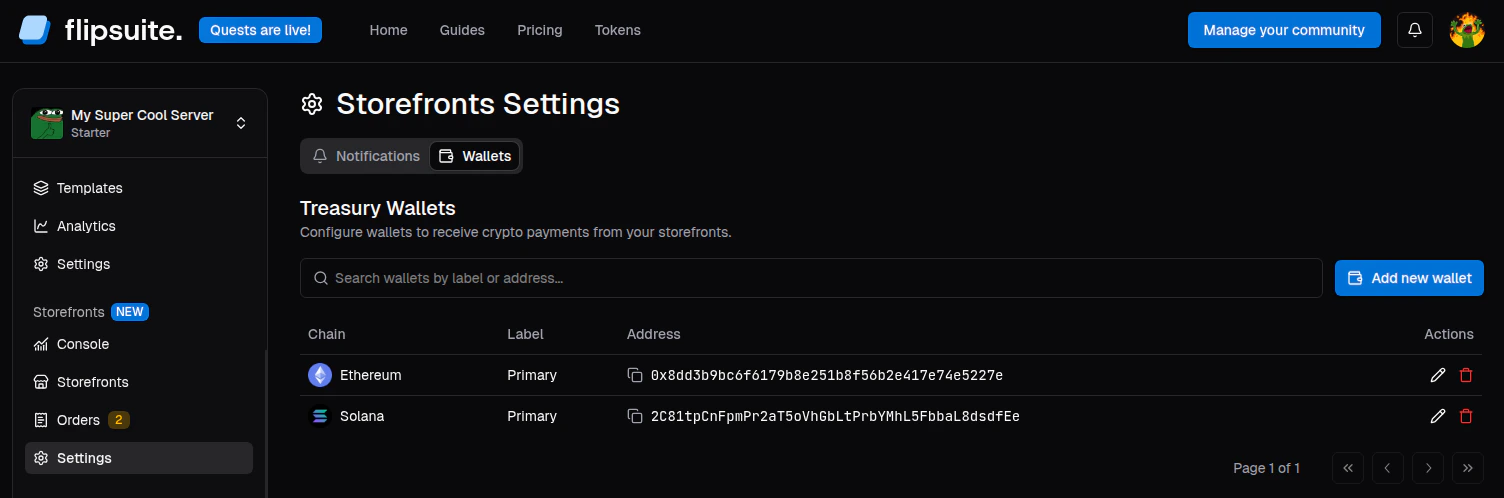 From there you can:
1. Click **Add new wallet**.
2. Choose the blockchain.
3. Enter the wallet address for that chain.
4. Optionally add a label.
5. Save the wallet.
You can only add one storefront wallet per chain.
## How token payments are routed
When a buyer pays with a token:
* Flipsuite looks for a storefront wallet on that token's chain.
* If one exists, the payment is routed there.
* If none exists, the payment falls back to the community owner's Flipwallet on that chain.
* If the price uses the **burn tokens** option, the tokens are burned instead.
Configure storefront wallets before publishing token-priced items. That keeps storefront revenue flowing into the intended treasury from the start.
From there you can:
1. Click **Add new wallet**.
2. Choose the blockchain.
3. Enter the wallet address for that chain.
4. Optionally add a label.
5. Save the wallet.
You can only add one storefront wallet per chain.
## How token payments are routed
When a buyer pays with a token:
* Flipsuite looks for a storefront wallet on that token's chain.
* If one exists, the payment is routed there.
* If none exists, the payment falls back to the community owner's Flipwallet on that chain.
* If the price uses the **burn tokens** option, the tokens are burned instead.
Configure storefront wallets before publishing token-priced items. That keeps storefront revenue flowing into the intended treasury from the start.