

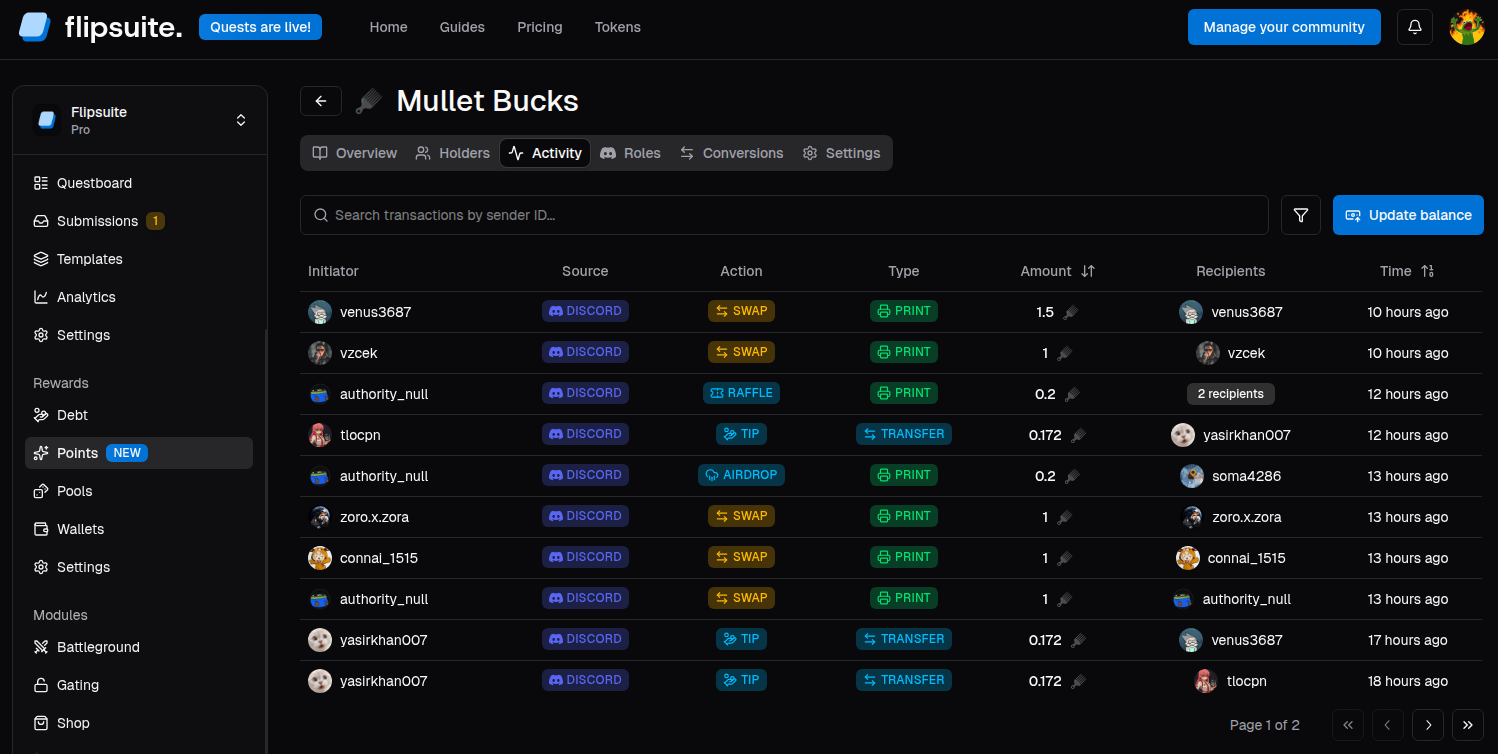
Point system activity
Key transaction types
Each point system transaction falls into one of the following categories:- Print: Points were created and a total point system’s supply was increased.
- Transfer: Points were transferred between two or more users.
- Burn: Points were destroyed and a total point system’s supply was reduced.
- Points rewarded for completing a quest -> Print
- Points tipped from one user to another -> Transfer
- Points credited dashboard or via API -> Print
- Points debited dashboard or via API -> Burn
- Points swapped for another points -> Burn
- Points received from swapping -> Print
- Points spent in storefronts -> Burn
Update balances manually
To update point system balances from the dashboard:- Open the Activity tab for the point system.
- Click Update balance.
- Add one or more users by their Discord IDs.
- Enter the balance change to apply to each selected user.
- Submit the change by clicking the Apply balance change button.
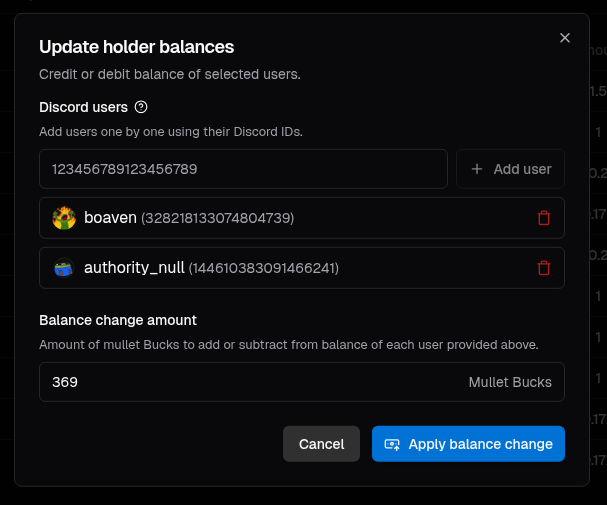
Balance change dialog
How manual updates work
- A positive amount credits each selected user, printing new points.
- A negative amount debits each selected user, destroying points.
- The same amount change is applied to every selected user.
When to use manual management
Use manual balance updates when you need to:- Grant bonus points to selected members.
- Correct balances after an external event.
- Run one-off campaigns outside Flipsuite quests.
- Remove balances for moderation or policy reasons.