

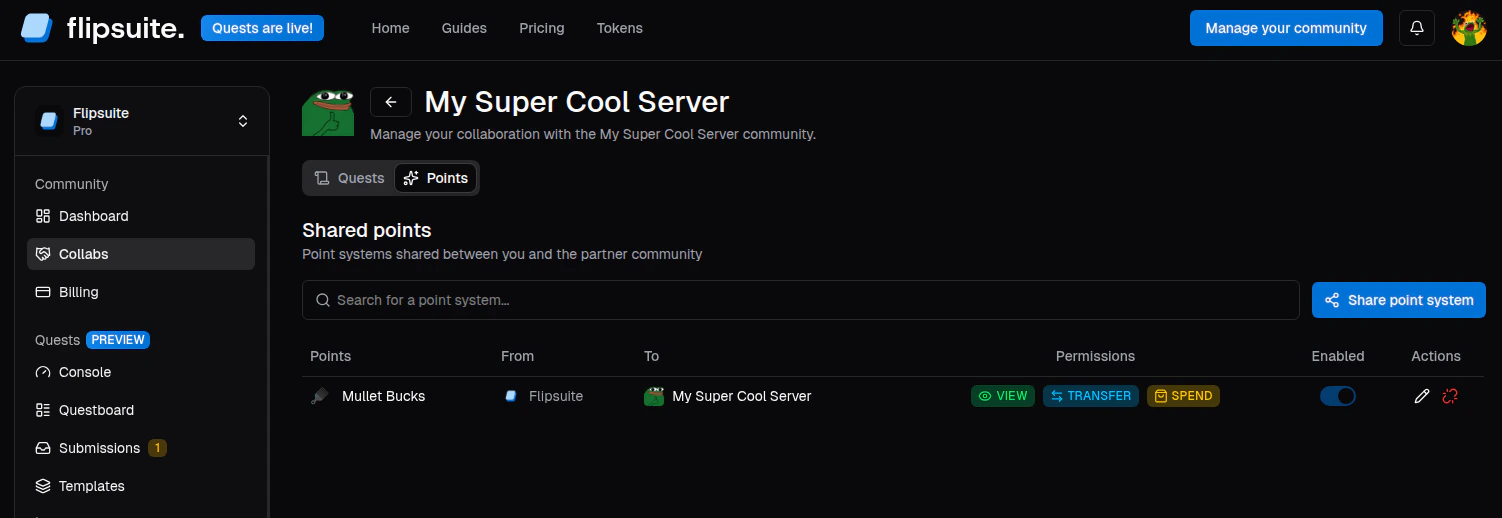
Shared point systems
Share a point system
- Open Collabs and select the partner community.
- Go to the partner’s Points tab.
- Click Share point system.
- Select one of your active point systems.
- Choose the permissions the partner community should receive.
- Save to share the point system.
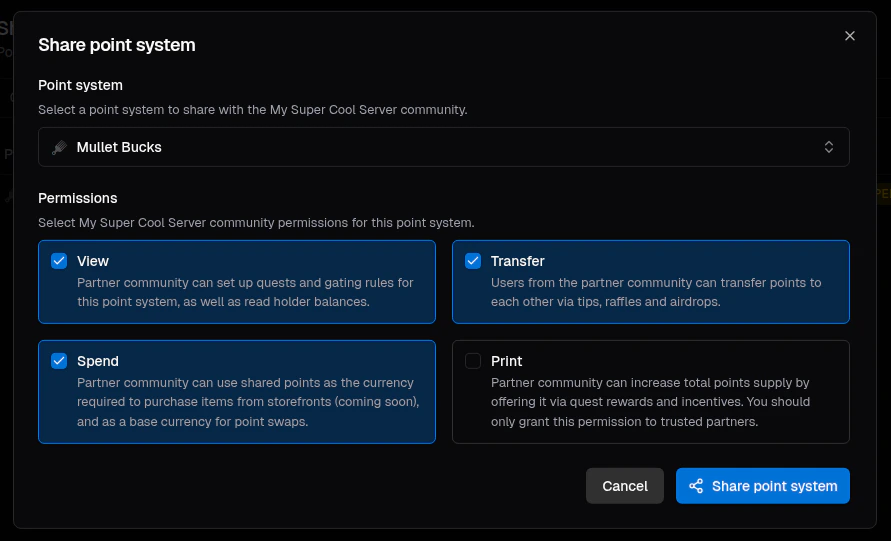
Shared point system settings
What each permission allows
-
VIEW permission lets the partner community:
- Read point system holders and their balances
- Use point-based quest tasks with the point system
- Use point-based gating rules with the point system
-
TRANSFER permission lets the partner community:
- Use the point system for tips, airdrops, and raffles in their server.
-
SPEND permission lets the partner community:
- Use the point system as the source point system for swaps.
- Require the point system for buying items from community storefronts.
-
PRINT permission lets the partner community:
- Offer the point system in quest rewards.
- Use the point system as the target point system for swaps.
- Print new points via tips, airdrops, and raffles (community admins only).
Typical collaboration patterns
- Grant VIEW when you want the partner to build quests around your point system.
- Add TRANSFER when you want partner community members to use your points for tips.
- Add SPEND when you want the partner to support spending or swaps.
- Add PRINT only when you explicitly trust the partner to print more of your supply.