

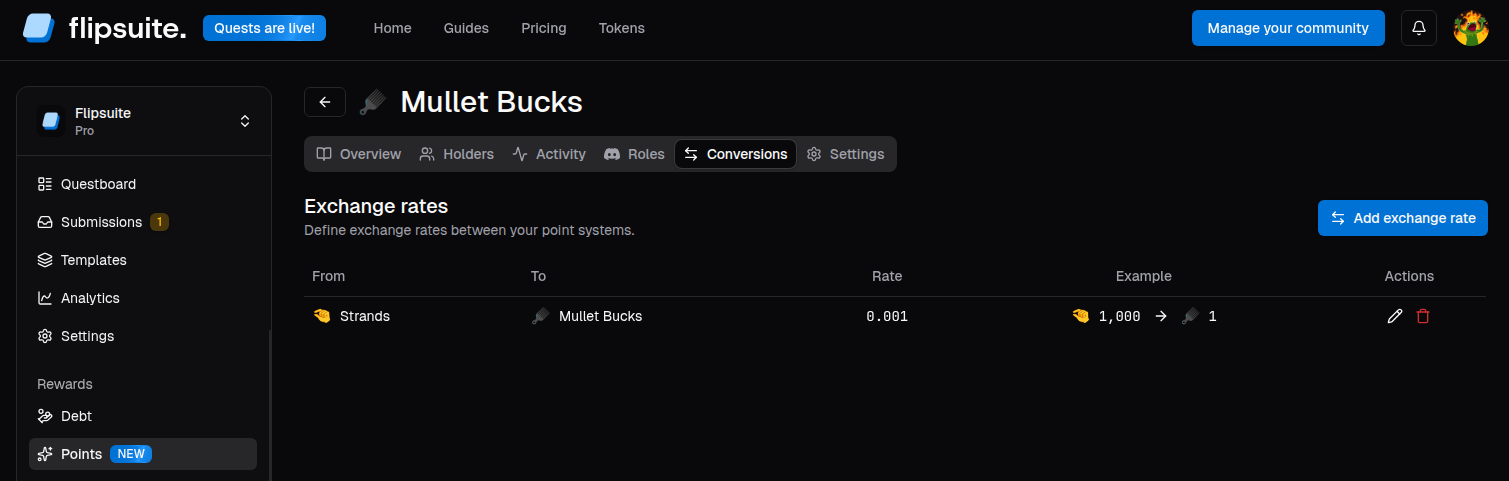
Point system exchange rates
How exchange rates work
Each exchange rate connects a single source point system to a different target point system. Conversion rate defines how many target points are printed for a single source point. Examples:- If the rate from
SilvertoGoldis0.01, then converting100 Silveryields1 Gold. - If the rate from
GemstoCreditsis5, then converting1 Gemsyields5 Credits.
Add an exchange rate
- Open the point system you want to create exchange rates for.
- Go to the Conversions tab.
- Click Add exchange rate.
- Select the source and target point systems.
- Enter the desired exchange rate.
- Save it.
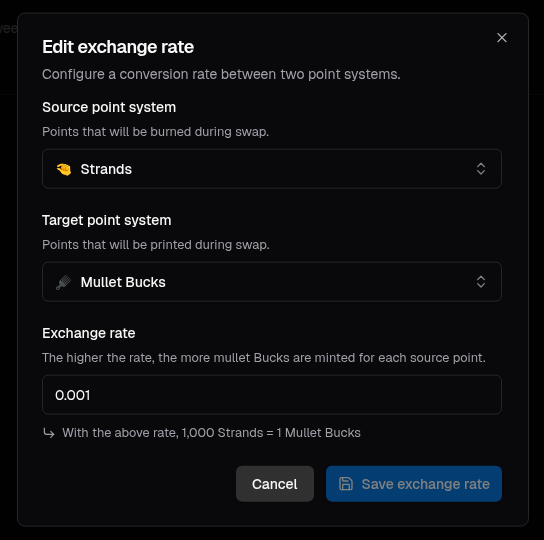
Point system exchange rate form
Planning your economy
Conversions are useful when you want to separate different parts of your economy, such as:- Converting a broad activity currency into a more limited redemption currency.
- Running multiple currencies with different earning and spending patterns.
- Make one currency upgradable to another.