

Overview
There are some task types like File Upload or Create X Post that require a manual review from your team before they can be marked as complete. Moreover, you can enable manual review on some of the other task types as well. When a quest includes a task requiring manual review, a submission is created for each user attempting to complete that quest. The user’s completion is marked as successful only after you approve their submission.Submissions
You can view each quest submission individually in the Submissions tab.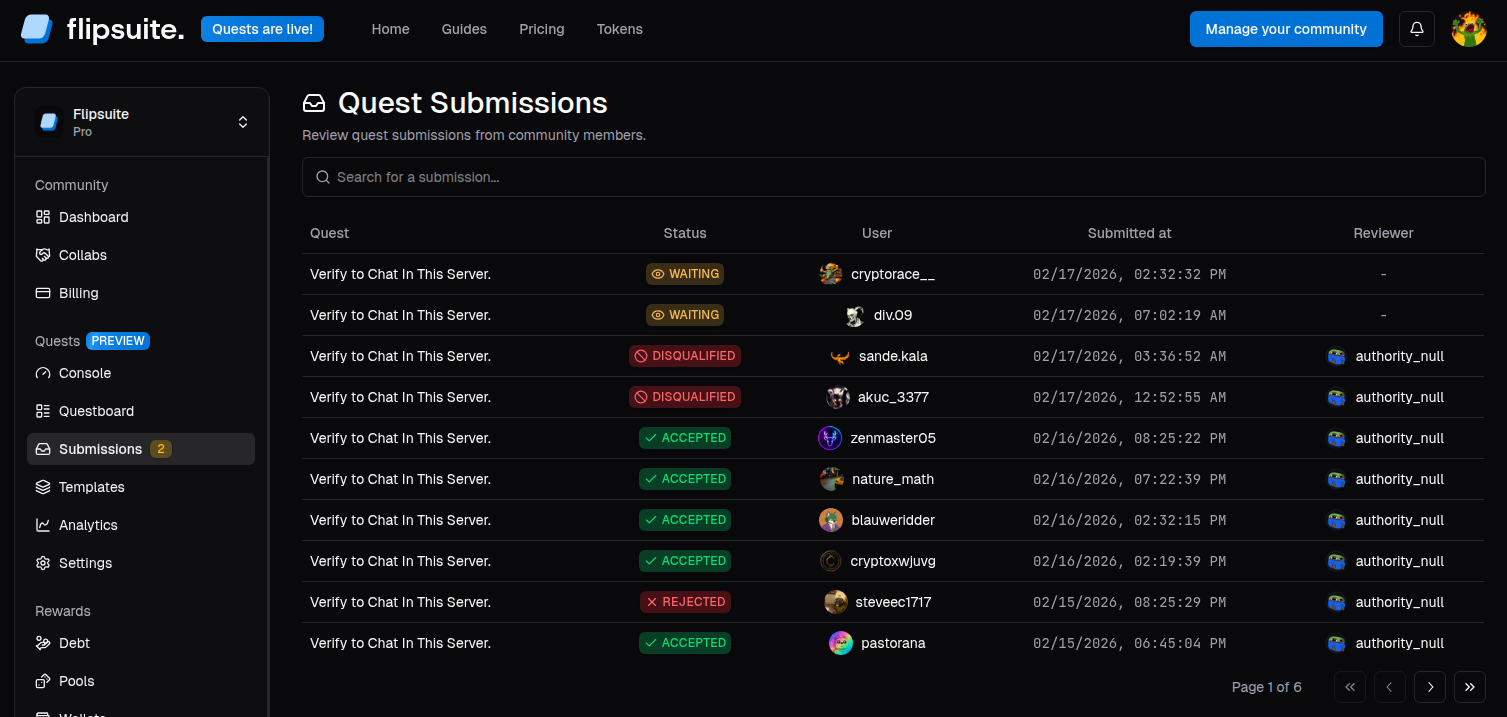
Quest submissions
- Approve - Mark the quest as complete for the user.
- Reject - Reject the submission with an optional reason.
- Disqualify - Reject it and prevent the user from attempting the quest again.