

Add a storefront wallet
Open Storefronts Settings and go to the Wallets tab.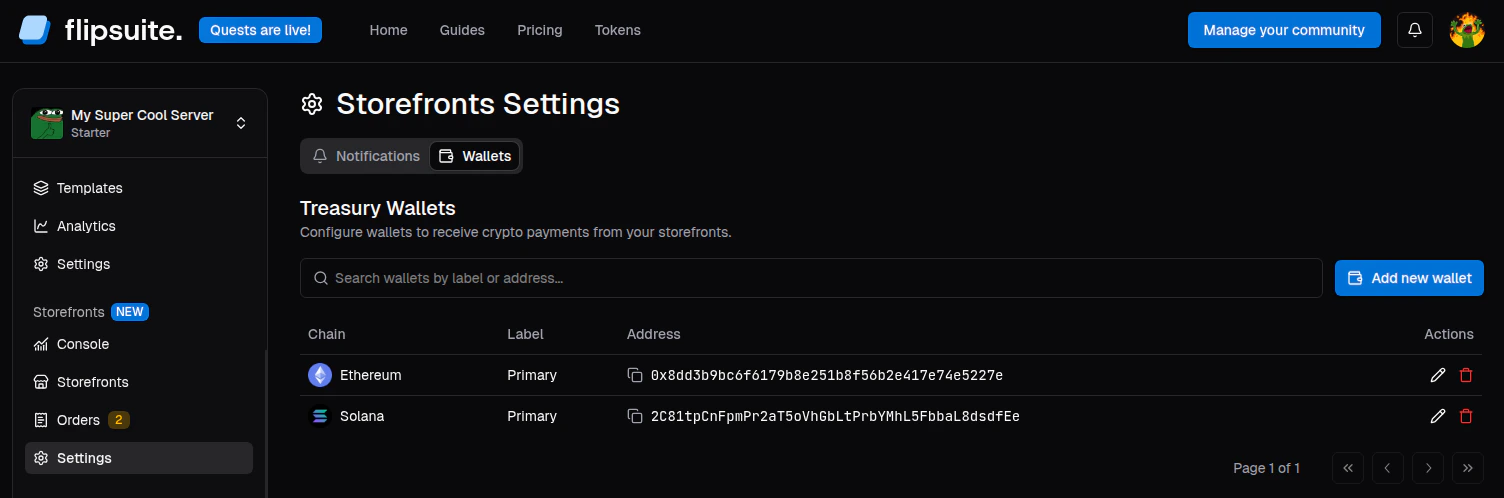
Storefront wallet settings
- Click Add new wallet.
- Choose the blockchain.
- Enter the wallet address for that chain.
- Optionally add a label.
- Save the wallet.
How token payments are routed
When a buyer pays with a token:- Flipsuite looks for a storefront wallet on that token’s chain.
- If one exists, the payment is routed there.
- If none exists, the payment falls back to the community owner’s Flipwallet on that chain.
- If the price uses the burn tokens option, the tokens are burned instead.
Configure storefront wallets before publishing token-priced items. That keeps storefront revenue flowing into the intended treasury from the start.