

Where to find orders
Navigate to the Storefronts area in your community dashboard and click the Orders tab.Payment status vs delivery status
Storefront orders and storefront fulfillments track different parts of the purchase lifecycle:- Payment status shows whether checkout succeeded.
- Delivery status shows whether a specific deliverable has been completed.
- Role and points deliverables move to
FULFILLEDimmediately. - Custom deliverables move to
PROCESSING, and an admin needs to finish the delivery. - Failed delivery attempts can appear as
FAILEDwith a reason in the order details.
Manage custom item orders
Open an order row to inspect the fulfillment details.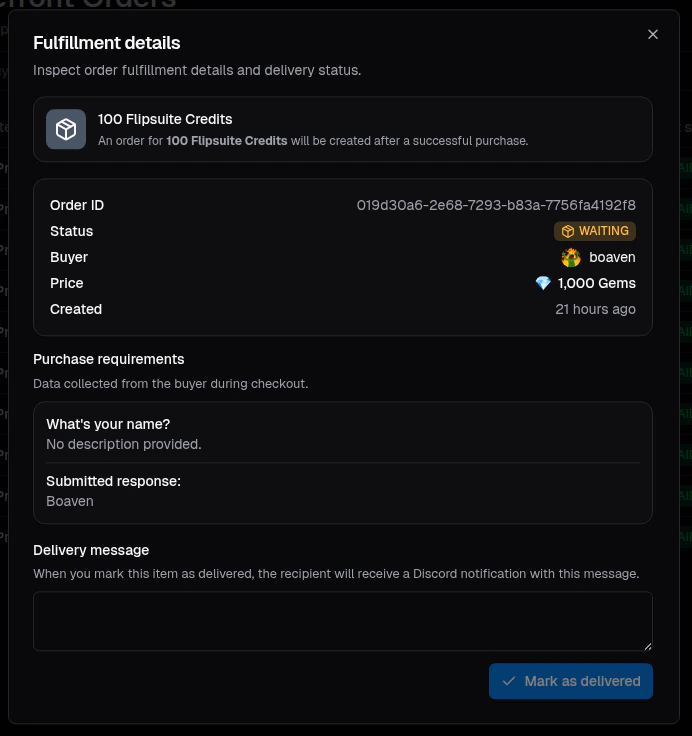
Example order details
- Review the buyer, recipient, price, and delivery status
- Inspect any checkout data collected through item requirements
- Mark the deliverable as delivered