

Setting up a point system starts with naming it, defining how members can use it, and activating it for your community. This guide walks you through the entire process.
Step 1 - Open point systems
Navigate to the Points tab in your community dashboard and click the Create point system button. This will open a form where you can create and configure a brand new point system.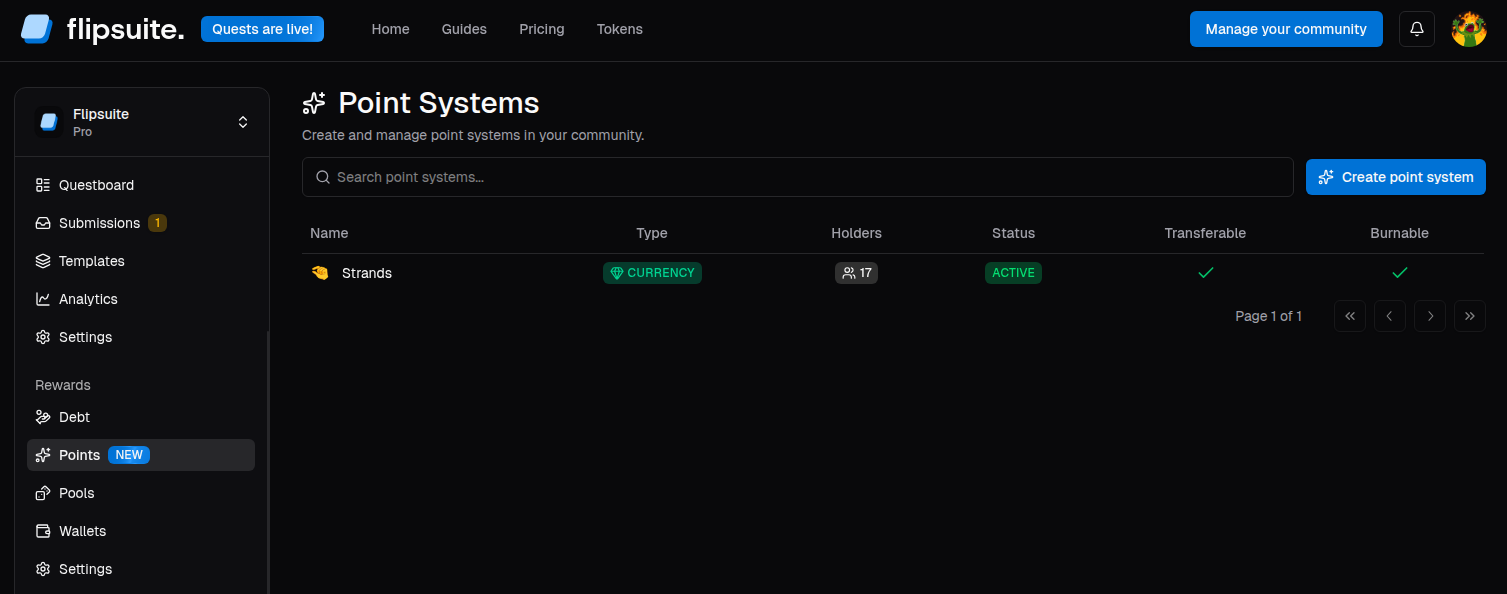
Point systems list
Step 2 - Configure the point system
You’ll be asked to provide the following details about the point system:- Emoji: An icon shown next to the point system across all user-facing surfaces.
- Name: Point system name, for example
Gems,XP,Reputation, orS1 Prestige. - Description: A short explanation of what the points are for.
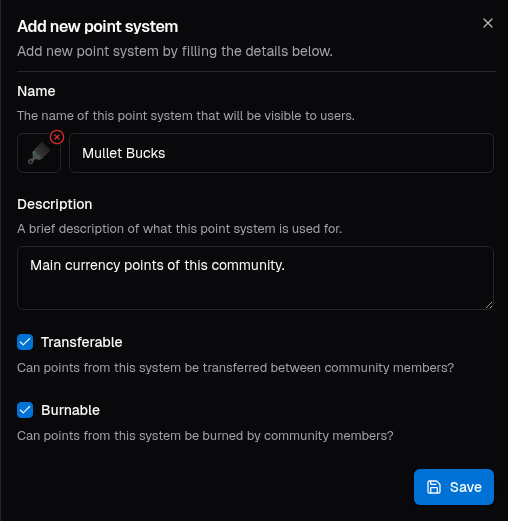
Create point system form
- Transferable: Members can move balances between each other.
- Burnable: Members can destroy their own points, decreasing the point system’s supply.
- If the system is transferable or burnable, it is labeled as a currency.
- If the system is neither transferable nor burnable, it is labeled as experience.
Currency
Great for community coins, loyalty systems, and anything members should be able to move or spend.
Experience
Great for rank progression, reputation, karma, seasonal XP, or other non-tradeable scores.
Step 3 - Activate the point system
Click Save to create the point system. Once created, it will appear in the point systems list together with its holder count, status, and category.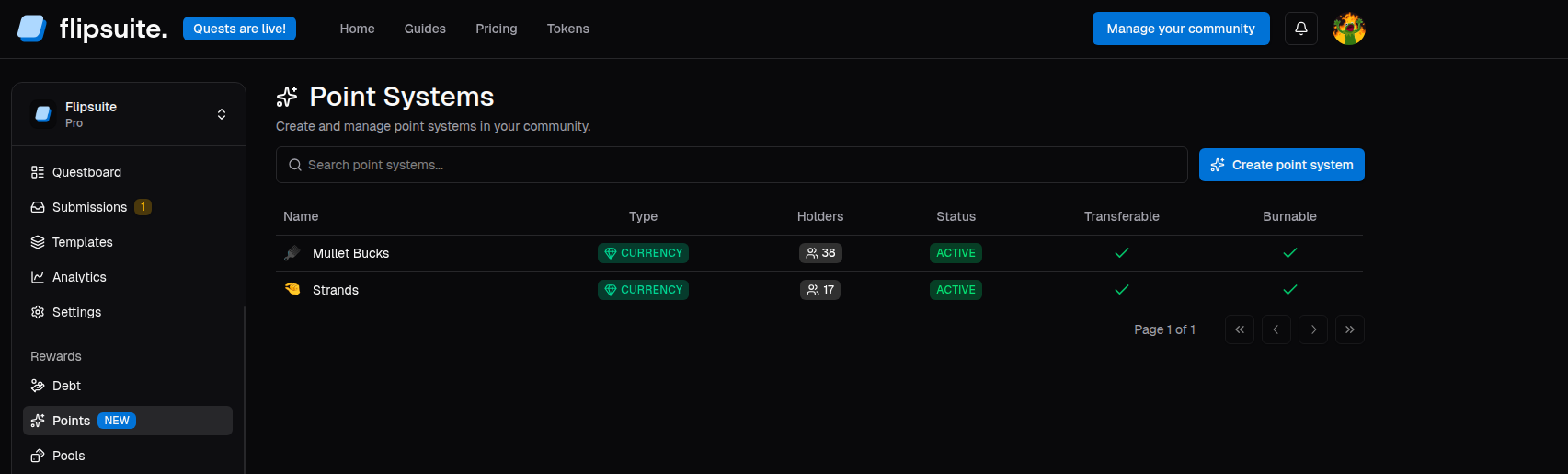
Created point systems
Step 4 - What’s next?
After creation, you can open the point system and go through the following tabs:- Holders to view holders, as well as import point balances from other systems.
- Activity to view point system transactions, and credit or debit users manually.
- Roles to configure Discord roles granted automatically to users based on their balance.
- Conversions to define exchange rates between different point systems.
- Settings to access the point system’s configuration.
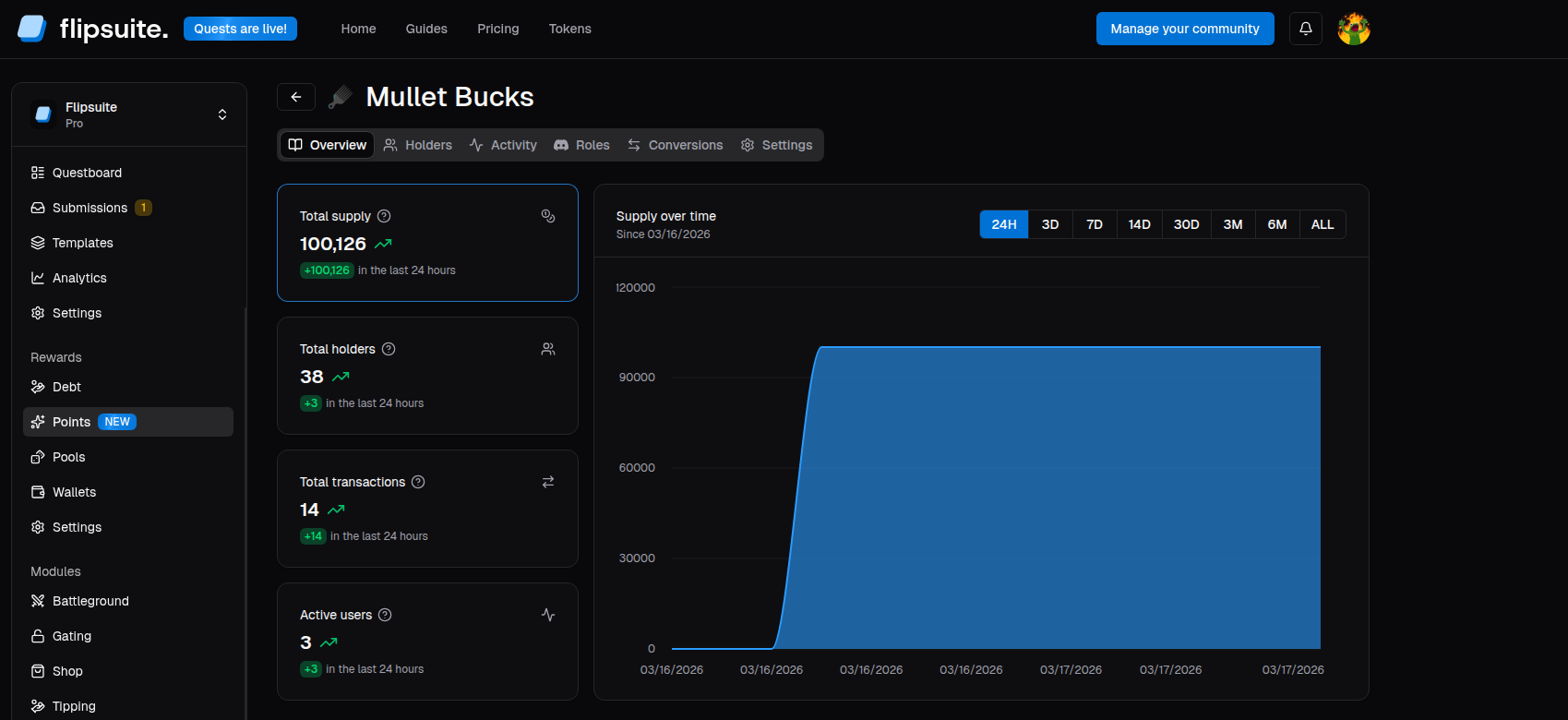
Point system overview