

Import functionality allows you to seed an existing community economy, migrate balances from another system, or bulk-load users before launching a campaign.
Step 1 - Open the holders tab
Go to the Points tab, open a point system, and select the Holders tab. From there you can:- Search holders by Discord user ID.
- Export the current holder list as CSV.
- Import balances from a CSV file or pasted CSV text.
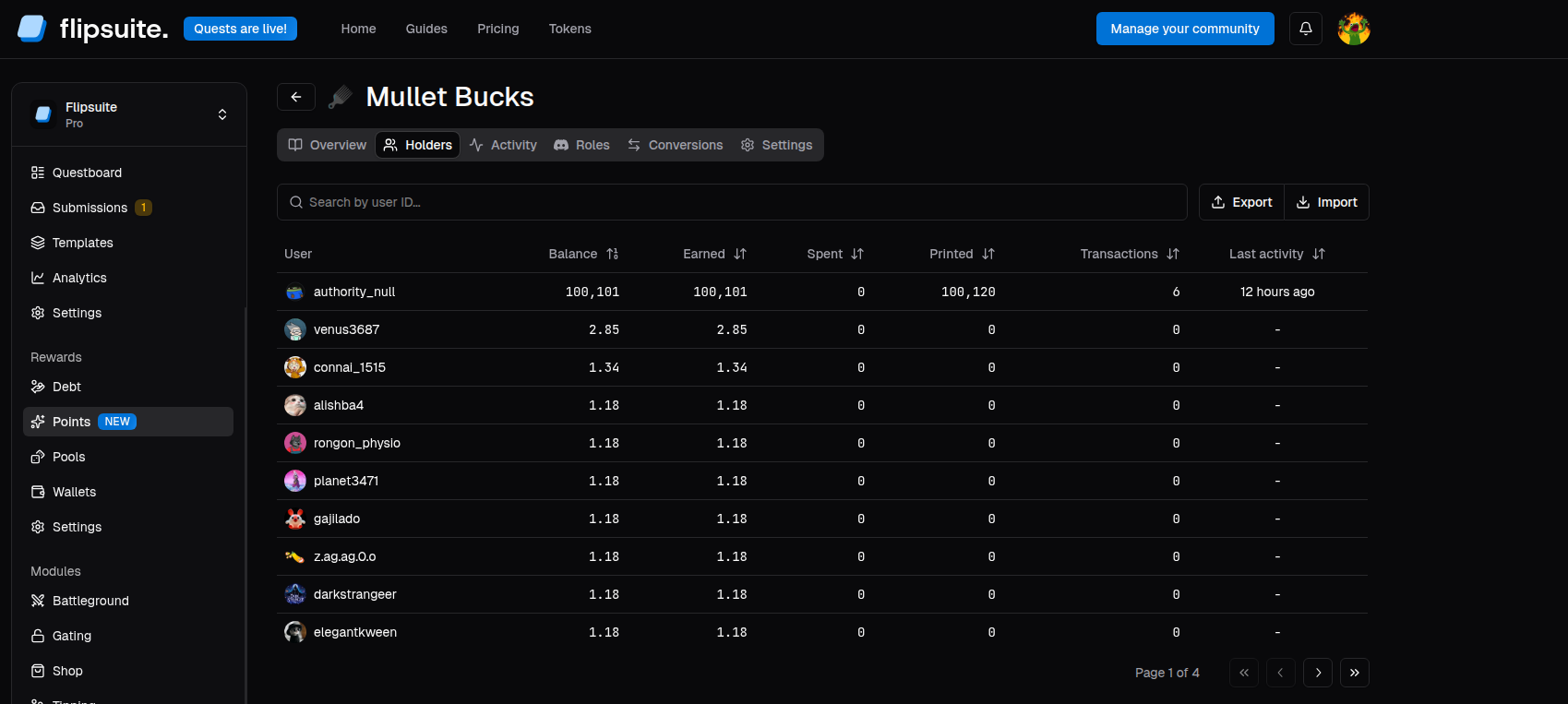
Point system holders
Step 2 - Initiate the import
Click the Import button, to open the import dialog.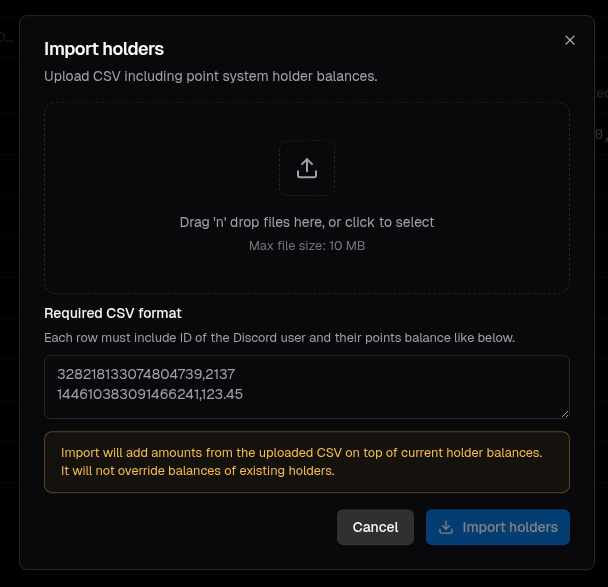
Import dialog
- Upload a
.csvfile containing user balances. - Paste CSV content directly into the import dialog.
- The user’s Discord ID
- The user’s balance
How imports behave
Imports are additive, not destructive:- If a user does not exist yet, they become a new holder.
- If a user already exists, the imported amount is added on top of the existing balance.
- Existing balances are not overwritten by import.