

Overview
You can use/profile command to view your Flipsuite profile.
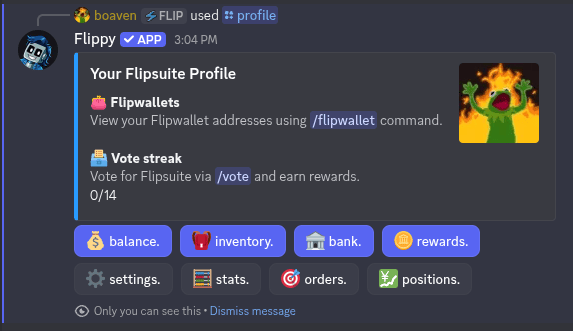
Example /profile command output
- View temporary roles in servers
- View your vote streak
- Quickly access your balance, inventory, bank and rewards
- Enter your profile settings
- View your profile stats
- Quickly access your limit orders and open positions
Settings
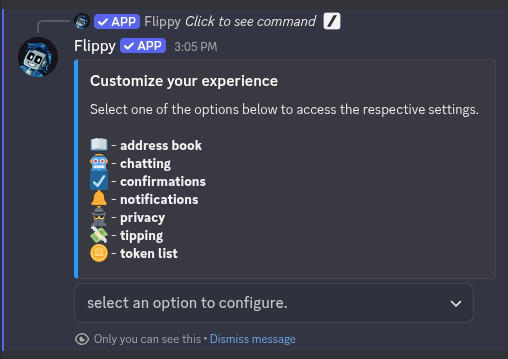
Profile settings panel
- Manage your address book
- Disable chatting with Flippy
- Disable confirmations for certain actions
- Manage notification settings
- Manage your privacy settings
- Manage your tipping settings
1. Address book
In the address book settings, you can save wallets that you often use so you don’t have to enter them every time. You will be able to quickly access them when withdrawing tokens from your Flipwallet, claiming rewards, submitting wallets to whitelists and much more.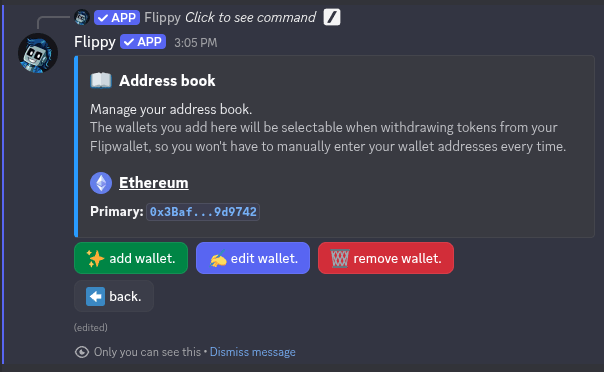
Address book settings
2. Chatting settings
In chatting settings you can disable chatting with Flippy. By disabling this option Flippy won’t see and won’t respond to your messages in Discord.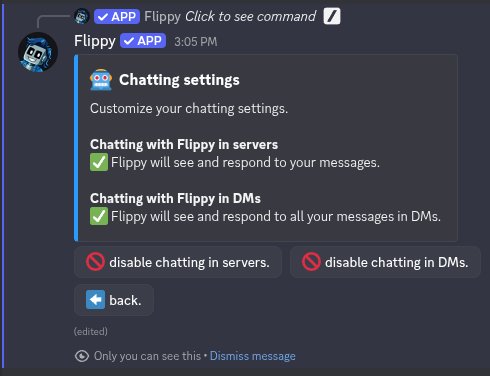
Chatting settings
3. Confirmation settings
In the confirmation settings menu you can:- Set confirmation mode (always, command only, chat only, or none)
- Set confirmation threshold for transfers (applies to tips, airdrops and raffles)
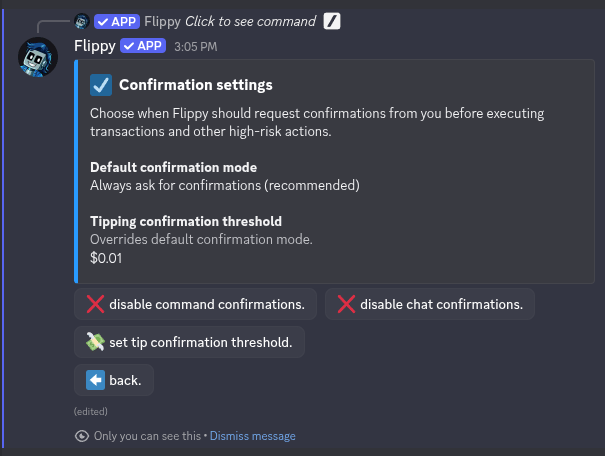
Confirmation settings
4. Notification settings
In the notification settings menu you can opt out from specific tip notifications or pings.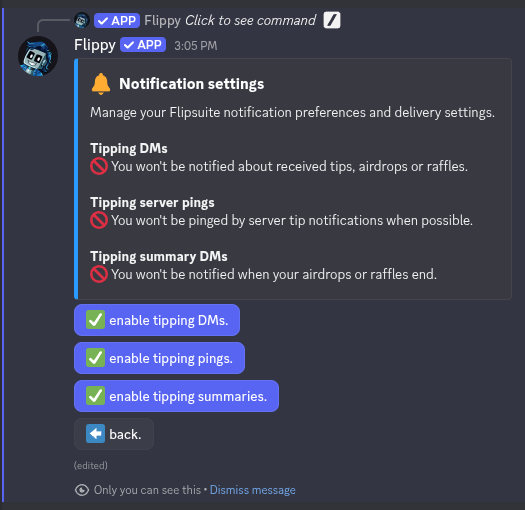
Notification settings
5. Privacy settings
In privacy settings you can decide what information about socials and wallets linked to your account is shared with servers you verify in. Each option can be enabled/disabled either globally for all servers or on a per-server basis.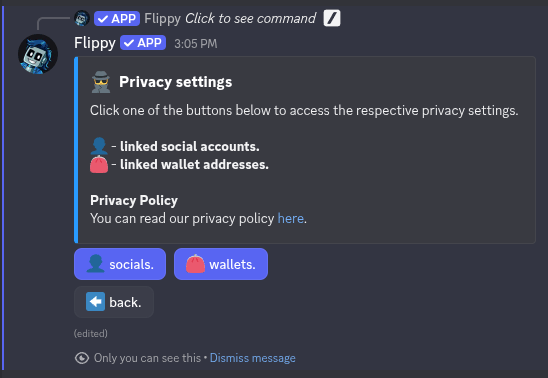
Privacy settings
6. Tipping settings
In tipping settings you can configure the minimum account age that’s required to enter your airdrops and raffles, and change the wallet to use for tipping (see shared tipping wallets).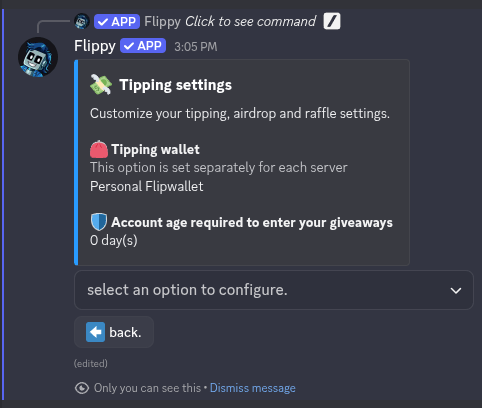
Profile tipping settings
Token lists
In the token list settings, you can manage custom tokens that are not yet verified by Flipsuite.- Approved tokens show up in your Flipwallet balance and token selection menus.
- Blocked tokens are hidden from your balance and suppress token notifications.